
Dear all,
since my last question (which was perfectly answered and solved, thanks for that), I ran into another issue, CPU temps.
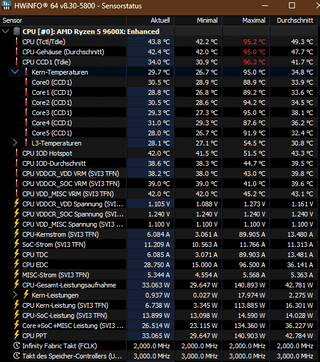
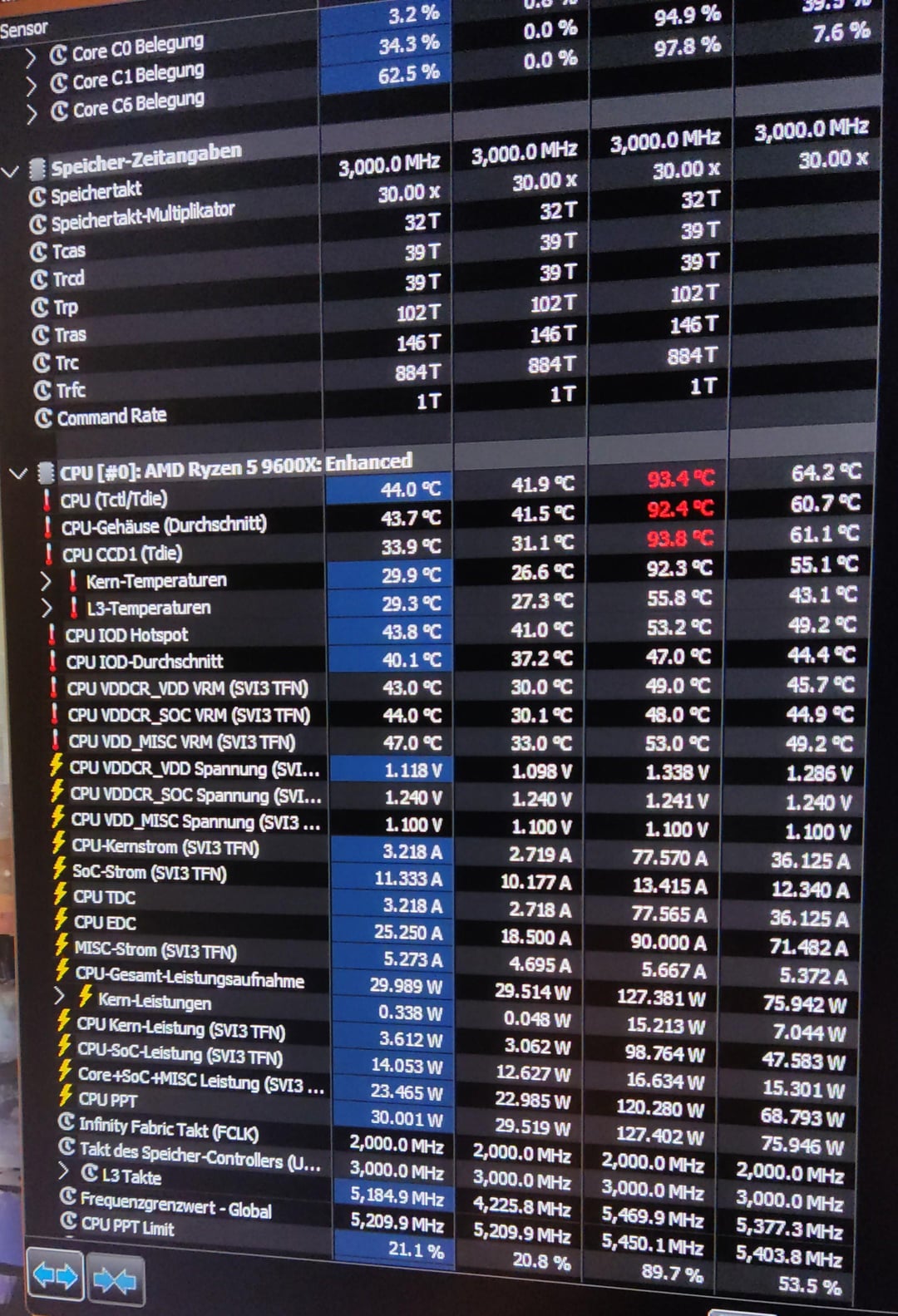
I was wondering if these Temps on my 9600X are normal?
The first picture is from a Multi-Core Run of Cinebench R23 (seems fine but 140W?)
The second picture is after a one hour gaming session (The Fans were a bit loud imo)
All pictures were taking at basically stock bios settings with the only two exceptions:
-105W Mode enable
-Curve Optimizer; Negative; 10 (basically a slight Undervolt to my understanding)
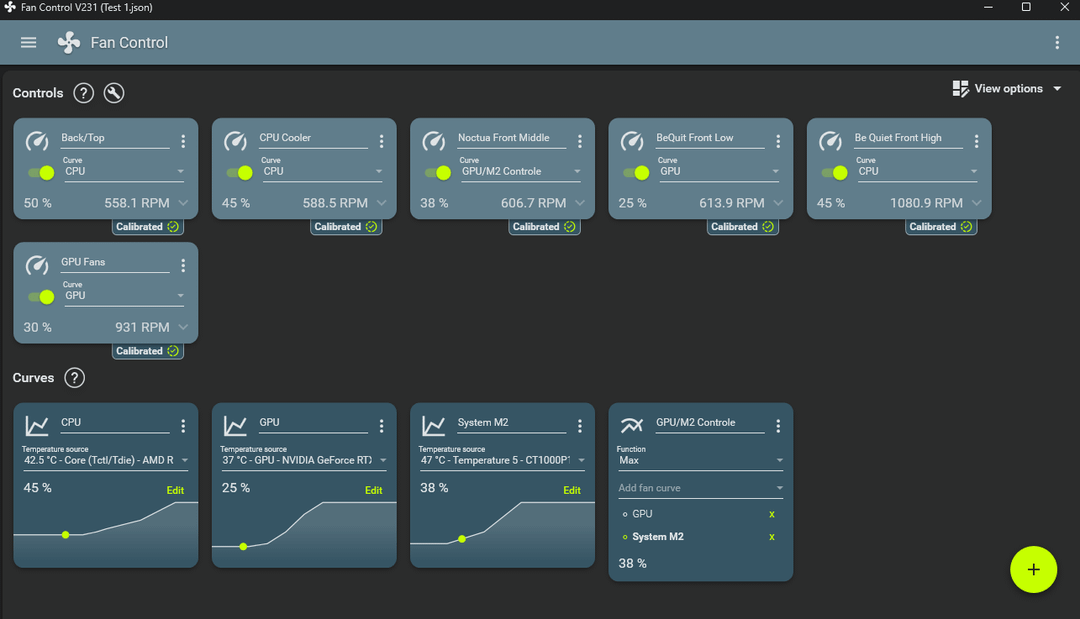
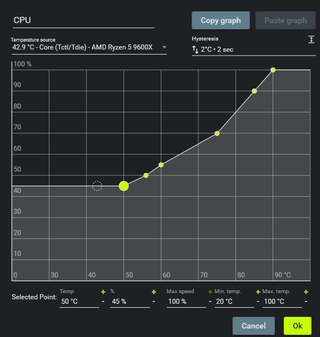
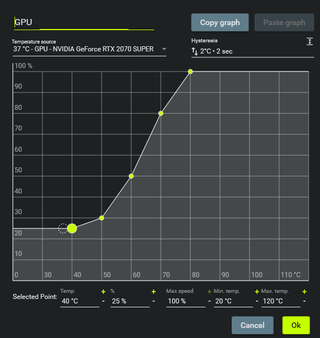
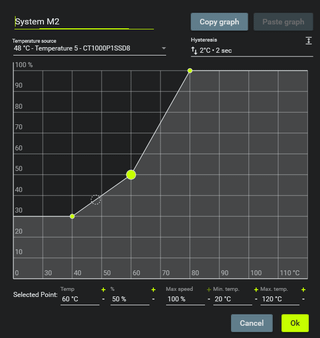
Furthermore, I decided to use FanControl for now. Which seems like a real neat tool. I have my settings for that attached as well, maybe there is an error in my fan setup, which I can't see yet?
The GPU/M2 Graphs are in a mixed function, to steer the front middle fan (my only Noctua 140mm), to prevent overheating of the System Drive and or GPU depending on the highest current temp.
The Back/Top Fans have a +5% offset to the CPU curve to draw more hot air out.
Overall, I am a bit annoyed that the fans start blasting that hard when I game. Using open back Beyerdynamic headphones, it gets quite distracting.
Hence my Question if I can do something to my Fan curves to reduced the noise?
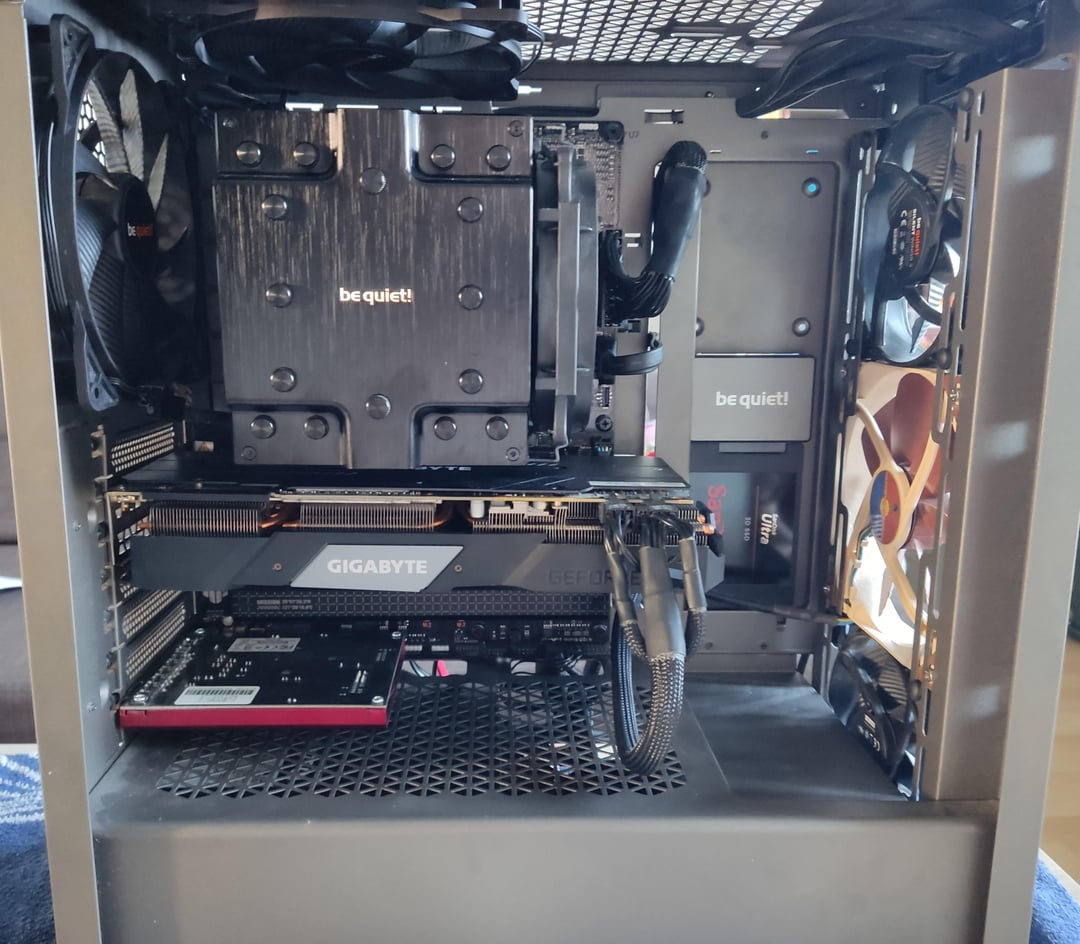
So Far I think the Top Front Fan is going a bit fast, but I don't want to starve my CPU of fresh air.
My specs:
CPU: https://www.amd.com/en/products/processors/desktops/ryzen/9000-series/amd-ryzen-5-9600x.html
RAM: https://www.gskill.com/product/165/374/1642064772/F5-6400J3239G16GX2-TZ5RS-F5-6400J3239G16GA2-TZ5RS
CPU-Cooler: https://www.bequiet.com/en/cpucooler/1378
Graphics Card: https://www.gigabyte.com/us/Graphics-Card/GV-N207SWF3-8GC/sp#sp
Case: https://www.bequiet.com/en/case/1719
Again, thank you so much for reading through all of this and helping out 🙂
Best regards,
Scrubti