
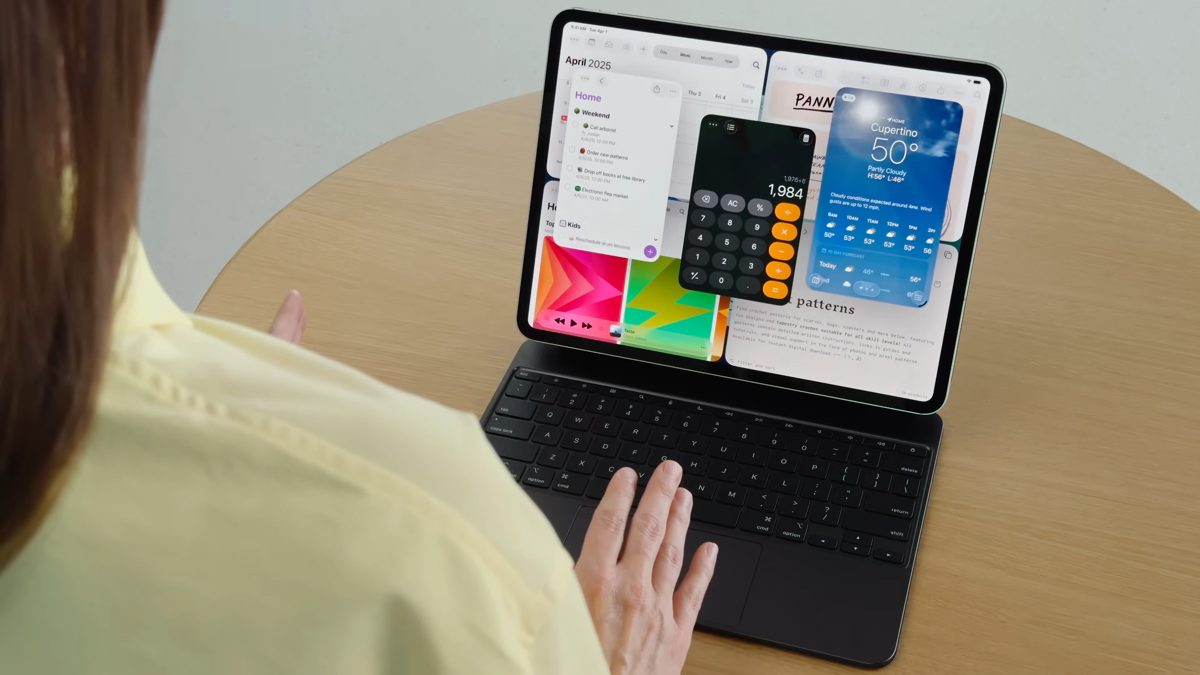
At WWDC 2025, Apple announced the next generation of software upgrades for its devices, including iOS 26, iPadOS 26, macOS 26, and more. While the spotlight was on the new Liquid Glass design and UI changes releasing this fall with these updates, some of the real value lies in features that directly help creators. All content creators, from aspiring to established professionals, will appreciate these changes and additions. But these changes will be transformational for budding solo creators, who often depend on just one device to record, edit, and upload their work.
More like this Every iPad Generation: A Full History of Release Dates
For many creators in India, investing in a high-end Mac or a powerful gaming laptop isn’t always possible at the start. That’s why iPads with the newly-revealed iPadOS 26 will likely become a strong option because of the following features.
Mac-like multitasking and menu bar finally comes to iPads
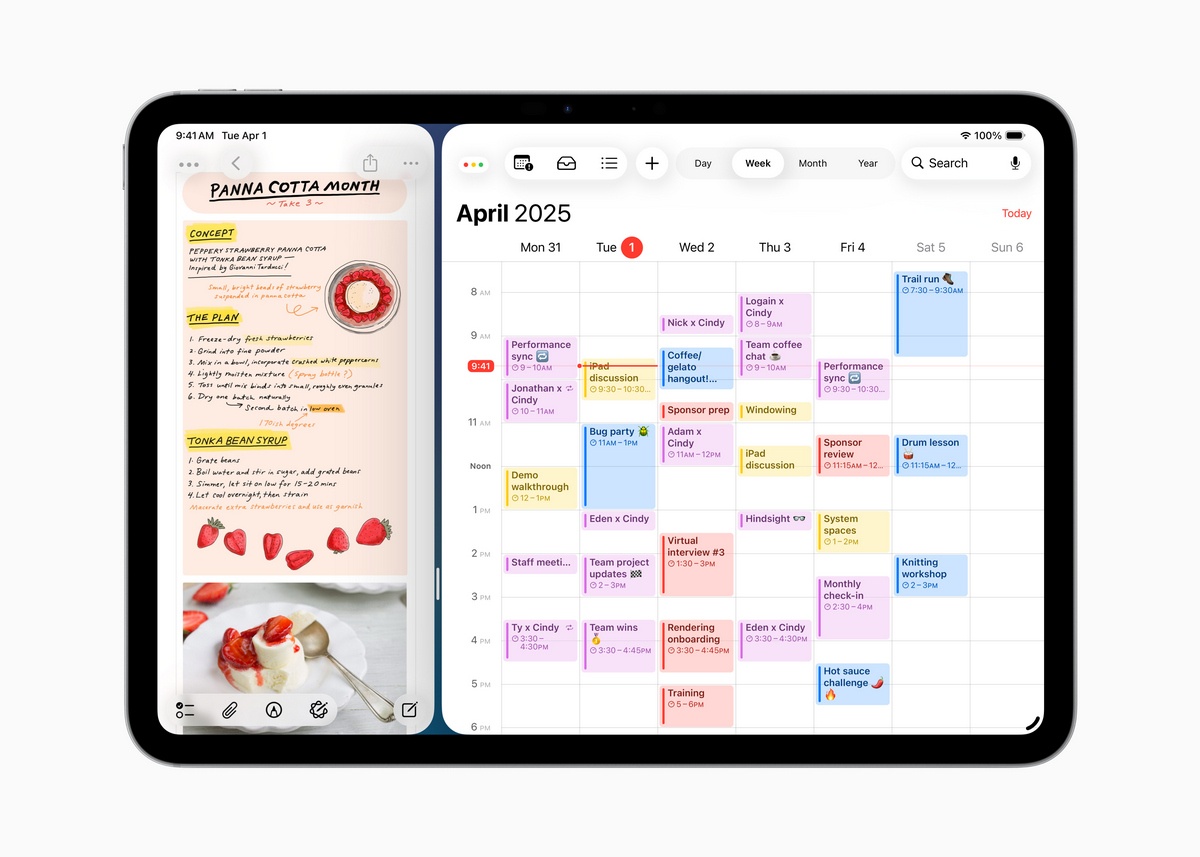
Apple is introducing proper window management with iPadOS 26, which means you can now resize and tile apps like you would on a laptop.
You no longer have to switch between full-screen apps (or even ones limited to specific side-by-side proportions) to work. You can run multiple tools, like video editing apps, browser tabs, and messaging apps, layered over each other. This will make your workflow smoother and more efficient. This is much better than Stage Manager, which was limited to external displays.
The new menu bar serves as a context menu or a “right-click menu,” giving you a list of commands available in an app. Here, you can quickly go through all the options and features an app can provide instead of searching about it online.
Background Tasks will make tasks run in the background
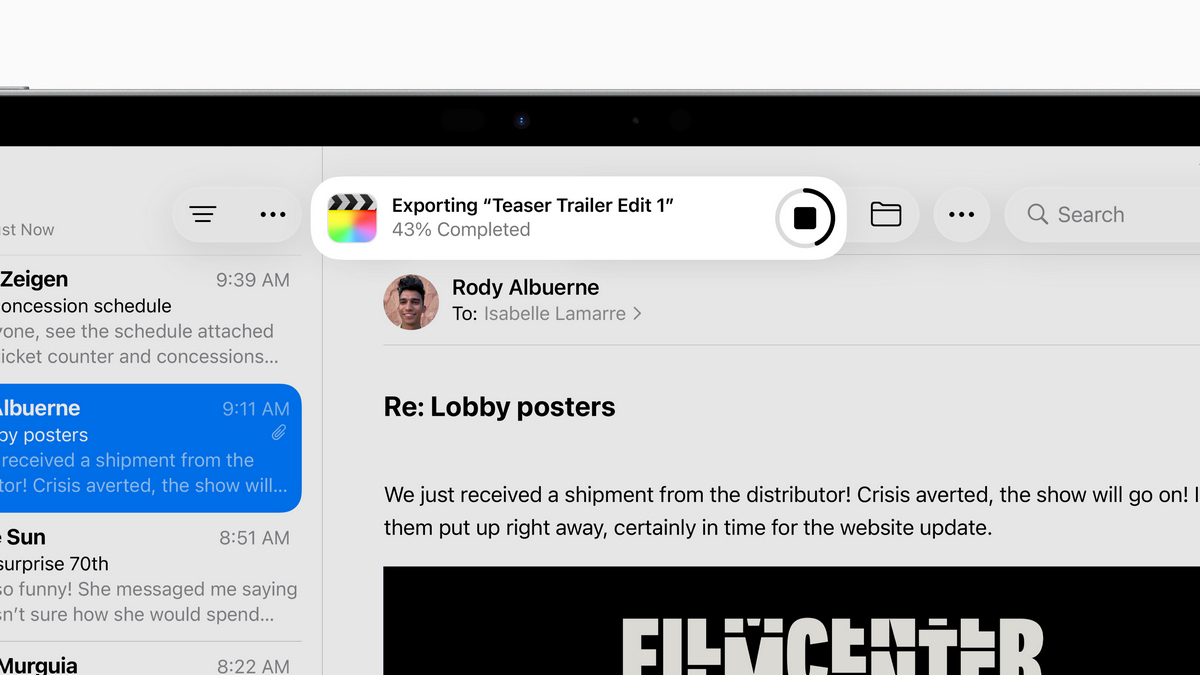
Another significant addition in iPadOS 26 is support for Background Tasks, powered by Apple Silicon. If you export a video, process files, or render content, the task can continue in the background without freezing your app or forcing you to wait. These tasks will appear as Live Activities, so you know exactly what is running and can easily manage it.
Better recording tools for creators working with audio and video
Apple also added creator-focused updates that feel long overdue. For instance, local video capture in FaceTime and compatible video calling apps allows each participant in a group call to record their own high-quality video feed. If you are making collaborative content, like a podcast, interview, or discussion video, you won’t need to rely on just one person recording the screen (often in extremely low quality and resolution). This new feature will ensure the video recording quality doesn’t suffer on all ends except the main recorder. Everyone can upload their high-quality clip, making the final output appear like a proper multi-cam shoot.
On the audio side, the new input picker lets you assign different mics to different apps. So you can plug in your AirPods or a separate mic, and decide which app uses which input. It would be especially useful for recording commentary or doing voice-overs while using another app for gameplay, for example.
Files app upgrades to handle growing content folders
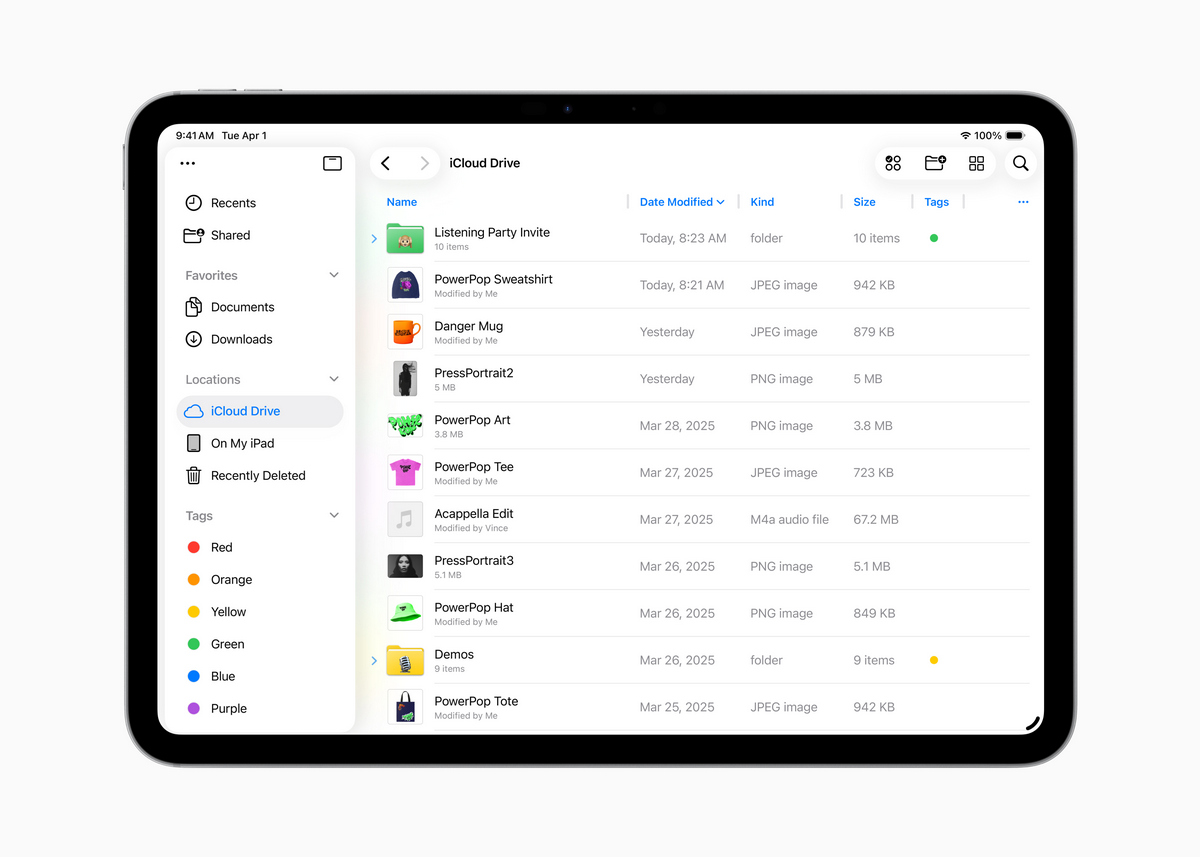
The Files app has also been updated, aiming for functionality and design. You can now colour-code and add icons to folders, a small change that goes a long way if you handle lots of footage and project files. You can also choose which app opens a given file type, giving more control over editing workflows.
A new Game app for competition and discovery
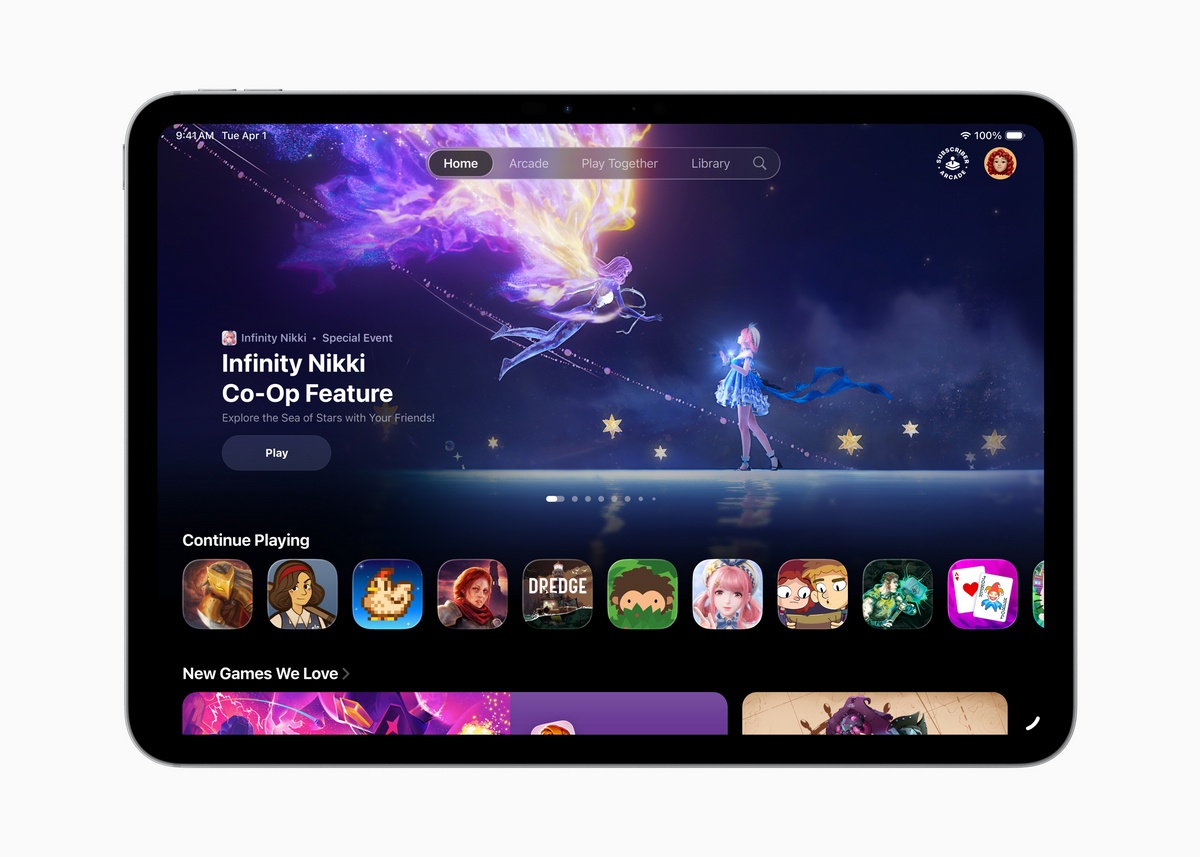
A new Game app is also coming to iOS 26, iPadOS 26, and macOS 26. As per the showcase, it will have a dedicated section for Challenges where you can compete with friends in multiplayer and single-player games. It also works as a hub for tracking your gaming progress, checking what your friends are playing, and launching games directly. While it is not as transformative for everyone, it is a neat addition for gaming-focused creators who stream or post gameplay content.
These features are coming to all iPads
What is impressive is that many of these features won’t be limited to high-end iPads. Apple has confirmed that even the standard iPad and iPad Mini will get these features, expanding the scope of the impact that iPadOS 26 will bring. That makes the entry barrier much lower for someone aspiring to get a new iPad or anyone who already owns a regular iPad and wants to get serious about creating.
iPadOS 26 and iOS 26 are expected to roll out publicly around September 2025. While Apple already had plenty of options when it comes to iPads for aspiring and upcoming content creators looking to do more on one device, the upcoming updates make them even more attractive.
Got any news tips, or want to discuss a possible story? Email us at ign_india@ign.com (to reach out with confidential tips, click here). For the latest on gaming, entertainment, pop culture, anime/manga, follow IGN India on Instagram, X, Facebook, and WhatsApp. For the latest videos, subscribe to us on YouTube.
Rayan Sayyed is a staff writer for IGN India with a primary focus on Asian entertainment, spanning from anime, manga, games to films and dramas from the East. You can reach out to him at rayan_sayyed@ign.com, or find him on Twitter/X @rayanaver and Instagram @rayansayyed