
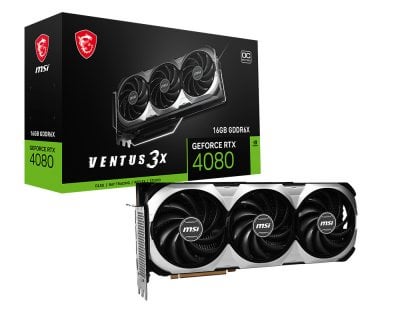
I have an MSI 4080 VENTUS video card. MSI says on their specs page that the “memory speed” is 22.4 Gbps. GPU-Z says, to the right of “default clock”, that the “Memory” is 1400 MHz. If I run Time Spy with no overclocking, the MSI Afterburner (MAB) hardware monitor graphing tool reports that the “Memory Clock, MHz” reaches a maximum of 11202 MHz.
What do these numbers mean exactly?
They are all quite different. Yet, they all seem to be referring to the same basic concept: memory speed. I haven’t found much documentation on this for the above tools. It may not matter much, as it probably comes down to increasing this and that with blissful ignorance, testing, and finally getting something stable with presumably better FPS in games. But as I tinker with my pricey hardware, having a better understanding of what’s going on would be nice.
I do have some theories. I need some definitions and formulas. Do these make sense?
- A = actual clock speed (GHz)
- E = DDR effective clock speed (GHz)
- E = 2*A
- DA = actual data transfer speed (Gb/s)
- DE = DDR effective data transfer speed (Gb/s)
- DE = 2*DA
- S = RAM size
- DA = A*S
- DE = E*S
What does MSI mean when they say on their specs page that the “memory speed” is 22.4 Gbps? I’m going to assume this is DE. This assumption is supported by TechPowerUp, which says it’s “22.4 Gbps effective”.
Because DE = E*S and S=16 for my card we have E = 22.4./16 = 1.4 GHz. GPU-Z reports the memory “default clock” to be 1400MHz. So, if my assumptions are correct, GPU-Z is reporting E, the effective clock speed. Does that sound right?
When I ran Time Spy without any overclocking, the MAB hardware monitor graphing tool reported that the “Memory Clock, MHz” reached a maximum of 11202 MHz. I'm going to assume this is DA. Then DE = 22404 MHz. This matches the MSI specs page. I was shocked when I first saw this result. I believe others have posted similar reactions. No, I didn't hit the silicon jackpot. It's just that's it's data transfer speed, not clock speed.
The main MAB interface has a “Memory Clock (MHz)” setting that presumably speeds up memory, as well as games, etc. What exactly is this? I’m going to assume this increments DA, the actual data transfer speed. If I set this to 1800 and run Time Spy, I get 13002 for the max MAB hardware monitor “Memory Clock”, which is 11202 + 1800. This supports the assumption that the MAB memory clock setting is incrementing DA. To get the corresponding effective clock speed E, we have E = (2*DA)/S, with S=16 for my card, so E = 1625.25. 3DMark reports “Memory Clock Frequency” = 1625 MHz. So 3DMark is reporting E, as does GPU-Z.
This could be helpful if you’re trying to replicate, say, 3DMark results. For example, suppose a 3DMark result has memory clock frequency = 1600MHz. That tells me, for my card, that for E = 1600, in MBA I want DA = S*E/2 = 16*1600/2 = 12800. My default DA is 11202, so I need an extra 12800 – 11202 = 1598. I therefore set “Memory Clock” to +1598 in MBA and try the benchmark.
Corrections and clarification appreciated, thanks!