
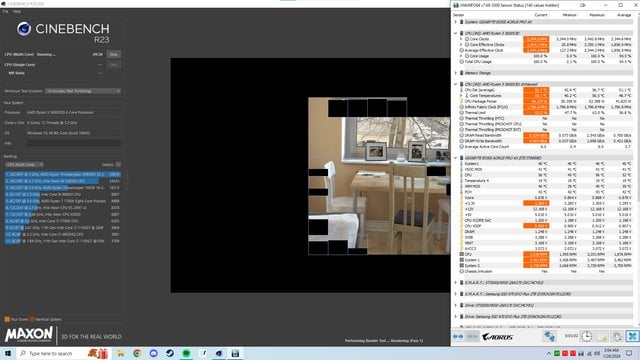
This is basically my first time using PBO, and undervolting was very easy, but when I tried to increase the max boost clock speed by changing “CPU Boost Clock Override” to Enabled (Positive) and “Max CPU Boost Clock Override (+)” to +50, which I thought would allow for my CPU to boost 50mhz higher, clocks decreased dramatically for some reason. It appears as though with those settings enabled, the CPU now stays at 50mhz over its base frequency and doesn’t boost at all.
At +50, it would stay at 3344mhz to 3350mhz constantly while doing anything. I ran Cinebench and the CPU didn’t get past \~60C and wouldn’t boost past 3350mhz, however when disabling “CPU Boost Clock Override”, which also removed “Max CPU Boost Clock Override (+)”, the CPU was back to boosting to 4400mhz and hitting 80C. Here are pics on my Cinebench runs with HWinfo and CPU boost clock override enabled and disabled, as well as my PBO settings in the BIOS. I tried resetting the bios to default settings and then only adding my undervolt and enabling the override, but I haven’t tried anything else.
At +50, it would stay at 3344mhz to 3350mhz constantly while doing anything. I ran Cinebench and the CPU didn’t get past \~60C and wouldn’t boost past 3350mhz, however when disabling “CPU Boost Clock Override”, which also removed “Max CPU Boost Clock Override (+)”, the CPU was back to boosting to 4400mhz and hitting 80C. Here are pics of my Cinebench runs with HWinfo and CPU boost clock override enabled and disabled, as well as my PBO settings in the BIOS. I tried resetting the bios to default settings and then only adding my undervolt and enabling the override, but I haven’t tried anything else.
[pics](https://ibb.co/album/WVp2KX)