If that’s not your model try to find yours to confirm.
rifr9543
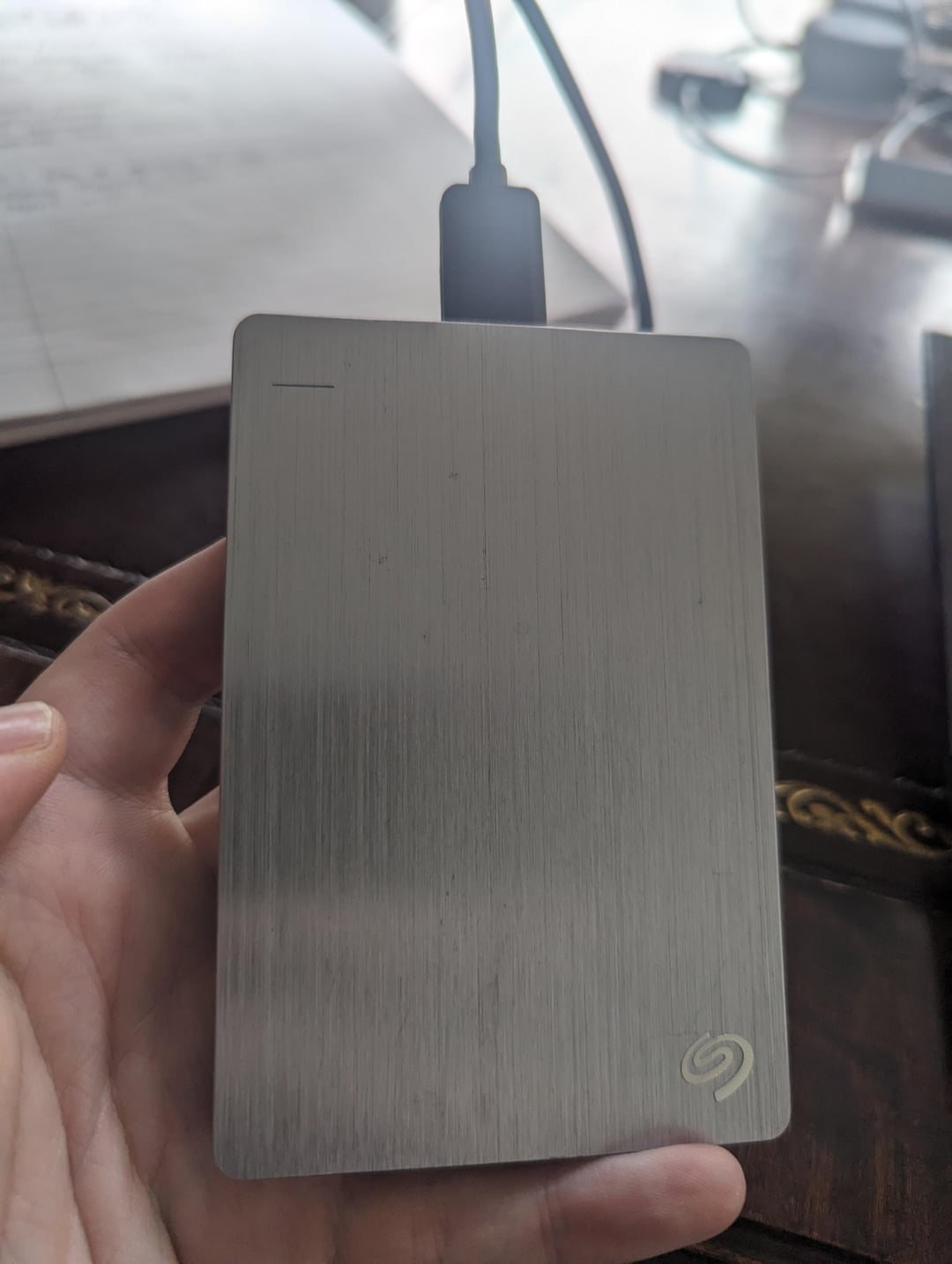
Yes. 99% of those use standard internal drives(2.5″ or 3.5″) in a simple case. Simply open the case and unplug the drive and you can use it as an internal drive. You may need a new cable though
Waste-Cheesecake8195
Probably, it’s called shucking. Look up [name and model #] shucking.
paulyp41
Put it inside your tower
sgluna122
Anything’s an internal drive with enough double-sided mounting tape
LitterBoxServant
Just get a usb header cable and put it inside your case
BubblyMidnight2574
To be fair, if u put it inside the case it can be considered internal
shuman485
Take the case apart, mount the drive on a SATA port and done.
J0kerJ0nny
Take it and put it inside of the PC-Case. Boom internal drive
YoungBlade1
Do note that that backup drive is a hard drive (HDD) and not a solid state drive (SSD).
You can still use it, but you’ll need proper mounting for the drive to not be damaged by vibrations.
GTCitizen
Yes, just put it inside
goodguygreg808
Some of these will not. You will just have to open it. They got wise a while back and started making the drive board and USB board one piece.
corianderjimbro
Some of them use proprietary connections rather than just a sata to usb converter. Most of the time though it’s just a normal ass seagate 2.5inch hdd you can throw in a computer
leonardob0880
50%/50%
Most of the times you can just removing the enclosure. But I’ve seen several of this small HD that have the USB directly soldered to the drive.
Scuggsy
Not necessarily , unfortunately you may find that if you open the case there will not be the expected SATA connection but only a hybrid controller board with a USB connection. You could still use this if you have available USB connections on your motherboard but the read / write speeds will be poorer than SATA and you will not be able to take the drive offline in computer management if you wanted to use it in a virtual environment.
DayneTreader
You can try. If it’s a standard SATA drive inside shouldn’t be a problem.
AholeBrock
I bet it’s all beans inside there
Aksds
Some have the micro-B plug as the interface which can be annoying, most in my experience have a detachable converter from SATA to Micro-B, which is quite handy when testing drives, so save it if the drive has one

19 Comments
Yes, so long as it uses standard sata data and power. Some use a smaller connector, and you’d need an adapter.
[https://youtu.be/5LM-RWU-7Yc](https://youtu.be/5LM-RWU-7Yc)
If that’s not your model try to find yours to confirm.
Yes. 99% of those use standard internal drives(2.5″ or 3.5″) in a simple case. Simply open the case and unplug the drive and you can use it as an internal drive. You may need a new cable though
Probably, it’s called shucking. Look up [name and model #] shucking.
Put it inside your tower
Anything’s an internal drive with enough double-sided mounting tape
Just get a usb header cable and put it inside your case
To be fair, if u put it inside the case it can be considered internal
Take the case apart, mount the drive on a SATA port and done.
Take it and put it inside of the PC-Case. Boom internal drive
Do note that that backup drive is a hard drive (HDD) and not a solid state drive (SSD).
You can still use it, but you’ll need proper mounting for the drive to not be damaged by vibrations.
Yes, just put it inside
Some of these will not. You will just have to open it. They got wise a while back and started making the drive board and USB board one piece.
Some of them use proprietary connections rather than just a sata to usb converter. Most of the time though it’s just a normal ass seagate 2.5inch hdd you can throw in a computer
50%/50%
Most of the times you can just removing the enclosure. But I’ve seen several of this small HD that have the USB directly soldered to the drive.
Not necessarily , unfortunately you may find that if you open the case there will not be the expected SATA connection but only a hybrid controller board with a USB connection. You could still use this if you have available USB connections on your motherboard but the read / write speeds will be poorer than SATA and you will not be able to take the drive offline in computer management if you wanted to use it in a virtual environment.
You can try. If it’s a standard SATA drive inside shouldn’t be a problem.
I bet it’s all beans inside there
Some have the micro-B plug as the interface which can be annoying, most in my experience have a detachable converter from SATA to Micro-B, which is quite handy when testing drives, so save it if the drive has one