
PLEASE READ THE WHOLE POST BEFORE FOLLOWING THIS STEP BY STEP. AS I DID NOT PUT THIS IN ANY ORDER!!! ESPECIALLY WHAT GPU DRIVERS YOU MAY NEED!!! FOR YOUR GPU DRIVER SCROLL DOWN ALL THE WAY. You may need to download the notebook version for laptop or desktop version for obv your hunky pc
​
So I am unsure of what exactly fixed it out of all the things I did today to fix the problem. However I have not seen anyone make a post about this specific fix so here goes nothing.
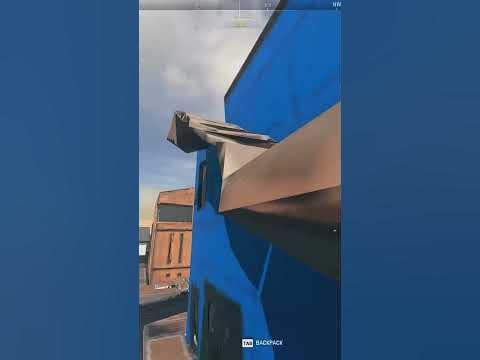
This link below is what texture issues I speak of. They have been fixed 100%
[https://www.youtube.com/shorts/ouOE0Wz0u2M](https://www.youtube.com/shorts/ouOE0Wz0u2M)
​
USE a ddu tool to uninstall your latest gpu drivers and reinstall an older version which is KNOWN to be more optimized towards warzone 2! Make sure you have 526.86 already downloaded before using ddu tool. When using ddu tool, use it in offline mode and safe mode on your pc to uninstall your current driver. There are videos on yt as to how to use DDU to uninstall. Here is a link to one of them! [https://www.youtube.com/watch?v=1XlwirtWs\_c](https://www.youtube.com/watch?v=1XlwirtWs_c)
​
Make sure your cpu chipsets are also up to date!! You can check your manufacturers website for the latest chipset update! For amd the example would be [https://www.amd.com/en/support/kb/faq/chipset-install](https://www.amd.com/en/support/kb/faq/chipset-install)
​
I also did this —> just in case there were any other issues on my pc.
​
I did a registry check up using these commands in cmd. Run CMD in admin mode! Make sure to wait for each line of code to complete its check.
1. dism.exe /online /cleanup-image /scanhealth
2. dism.exe /online /cleanup-image /restorehealth
3. dism.exe /online /cleanup-image /startcomponentcleanup
4. sfc /scannow
5. Restart the PC and see if the problem is resolved.
​
My game plays off an hdd and works fine however i’d suggest keeping it on the SSD! If it is not there, completely delete call of duty and its associated files and reinstall the game!
​
Another thing i would add on to this, is warzone tends to set your core worker count to less than what your cpu actually has. So my cpu is a 6 core cpu and warzone was using 4, i boosted it up to 6! Now for me this worked fine and did not cause issues and helped improve performance, though this will not work for everyone so I would test raising your worker count up in increments of 1 or 2 depending on your core count! 6 core cpu, do it in increments of 1. 12 core cpu, id do it in 2’s. The way to check your worker count is to go to documents in your file explorer and hitting call of duty, then players, then options.3.cod22.cst and opening that file using something like notepad! Once you are inside the file scroll all the way down until you see “Thread count for handling the job queue” Adjust the number in ” ” marks. for example! { RendererWorkerCount:0.0 = “6” // -1 to 16 } change the 6. Never go above the amount of cores your cpu has! 12 core means 12 is max. 6 core = 6 and so on. Only going lower and up to the equal amount is proper <3
​
​
ACTIVISIONS STATEMENT.
​
”
We recommend players keep up to date with the latest Windows 10 or Windows 11 version. Use the standard Windows updating process to apply this Windows version to your PC.
If you’re experiencing graphical issues in *Call of Duty: Warzone* 2.0, be sure to install the applicable video card drivers listed below.
**Nvidia**
The recommended driver version for *Call of Duty: Warzone* 2.0 is [**526.86**](https://www.nvidia.com/en-us/drivers/results/194176/).
**AMD**
The recommended driver version for *Call of Duty: Warzone* 2.0 is [**22.9.1**](https://www.amd.com/en/support).
**Intel**
The recommended driver version for *Call of Duty: Warzone* 2.0 is [**31.0.101.4255**](https://www.intel.com/content/www/us/en/download/726609/intel-arc-iris-xe-graphics-whql-windows).
Check out the [**PC System Requirements for** ***Call of Duty: Warzone*** **2.0**](https://support.activision.com/warzone-2/articles/pc-system-requirements-for-warzone-2).
***Please note***\*:\* Call of Duty: Warzone *2.0 cannot be played on Windows 8 or Windows 7.*
​
”
​
These are the latest divers as of the time I made this post! Make sure to go on google and search activision recommended drivers for warzone 2.
​
​
​
​
​