
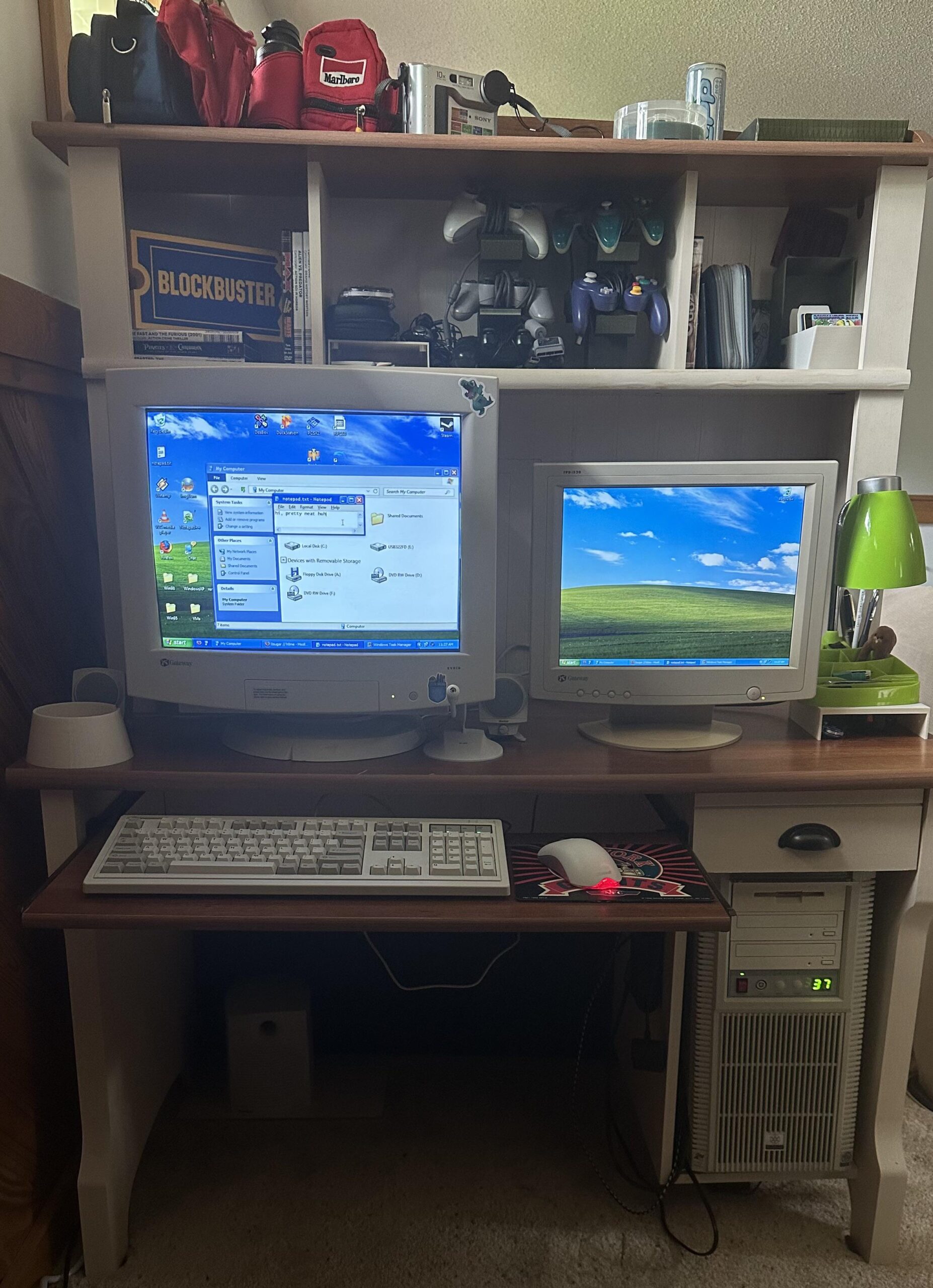
Here’s an update to my Zillennial age regression battlestation.
I’ve added some stuff to the top shelf, like my fanny packs and Sonny floppy camera, got some more PSP stuff, and used 3M Dual Lock to stick my controller adapters right onto the side of the cubby where the PC sits. I also updated the 3D printed USB floppy drive holder so it works with different types. Then I repurposed old prints of it to put my lamp and PSP stuff on while giving space to put things under it all.
CRT: Gateway EV910B
LCD: Gateway FPD1520
Keyboard: Keychron R6
Mouse: Microsoft Optical 1.1A
Speakers: Boston Acoustics BA635
PC: FLP02 case, Ryzen 7 5700X, RTX 1660 Super
It’s not a powerhouse but it plays emulators and 2000s games just fine.
Also that’s Windows 11 . It’s all mods, programs, and changing settings to make it look and behave more like XP.
I followed a YouTube tutorial for most of the original setup, but I’ve made a bunch of my own tweaks since then and even made some programs to add more functionality. The XP Task Pane is a real working task pane in Windows 11. It’s not just for show.
I put a short video on my site showing the Task Pane and the rest of the setup working. I also put together the full tutorial there to use alongside the original YouTube video, plus downloads for the programs I made and the other stuff I used, so you can do the same thing if you want.