
TL;DR: I have a specific Ryzen 9 7950X that causes severe BIOS interface lag, completely fails in-BIOS Q-Flash (hardware Q-Flash Plus works fine), and has warm reboot anomalies tied directly to DDR5 memory training profiles. However, regardless of the memory kit used, once the system successfully boots into the OS, it remains 100% stable under extreme loads (Prime95 24h+). The issue perfectly follows the CPU across different motherboards.
I’m dealing with a fascinating (and frustrating) edge-case behavior involving an AMD Ryzen 9 7950X and the Gigabyte X670 platform. Since this community understands memory controllers and platform initialization better than anyone, I wanted to document this and hear your theories.
To ensure this isn't a motherboard defect, I did strict A/B testing:
CPUs: CPU #1 (Problematic 7950X, OEM) vs. CPU #2 (Known-good 7950X).
Motherboards: Two identical Gigabyte X670 Gaming X AX boards (Same PCB revision).
Result: The issue strictly follows CPU #1. Both motherboards work perfectly with CPU #2
Observed Anomalies (Occurs ONLY with CPU #1)
- BIOS Interface Lag & Flashing Failure
With the problematic CPU installed, the BIOS UI becomes extremely laggy. The flashing mechanism shows a very specific split in behavior:
In-BIOS Q-Flash: Fails completely. It either throws a "Q-Flash can't read file" error or detects the file but fails to execute the flash.
Hardware Q-Flash Plus (Motherboard Button): ALWAYS works correctly without any issues.
- The Memory Training Variable (Cold vs. Warm Reboot)
This is where it gets interesting. I tested three different DDR5 kits (SK Hynix 2x32GB, Kingston 2x8GB, ZST 2x16GB). Note: Memory Context Restore (MCR) was left on "Auto" (default BIOS setting) for all tests so I didn't force a specific memory training path.
Here is how the system behaves depending on the memory profile:
Scenario A: JEDEC Defaults
Cold Boot: Works normally
Warm Reboot: Works normally
In-BIOS Q-Flash: Fails
Scenario B: XMP / EXPO Enabled (5200 CL40 / 6000 CL38)
Cold Boot: Works inconsistently
Warm Reboot: Reproducible failures (hangs/fails during memory training phase)
In-BIOS Q-Flash: Fails
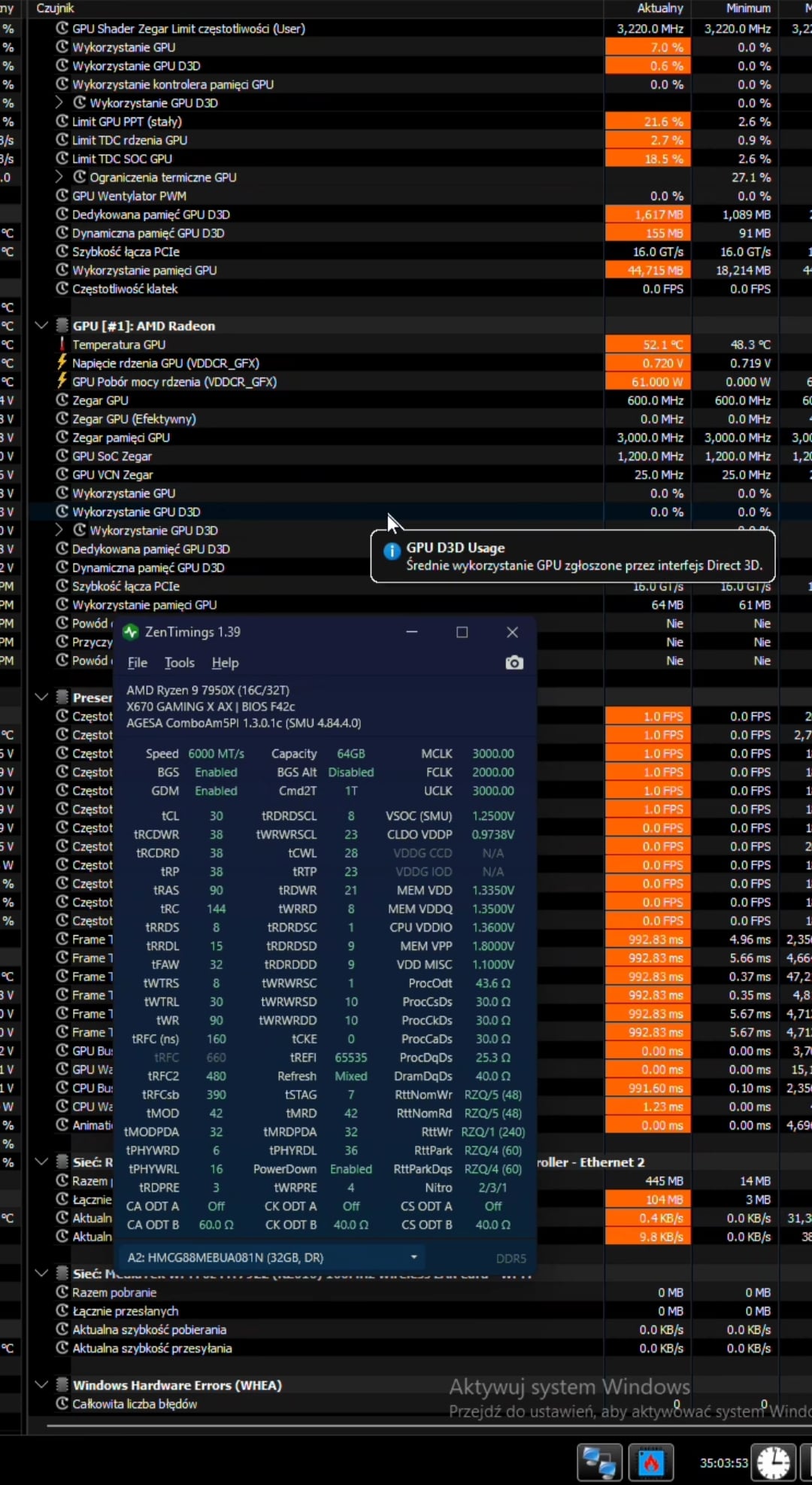
Scenario C: Manual Fine-Tuning (SK Hynix 6000 MT/s CL30)
Cold Boot: Works normally
Warm Reboot: Significantly improved compared to standard XMP/EXPO profiles
In-BIOS Q-Flash: Fails
Unexpected finding: Manually tuning the SK Hynix kit to higher performance/tighter timings actually improved the warm reboot reliability compared to loose standard profiles.
Unexpected finding: Manually tuning the SK Hynix kit to higher performance/tighter timings actually improved the warm reboot reliability compared to loose standard profiles. Warm reboots work without any errors, bios update with qflash is still there.
(OC of ram and bios version on screen)
- 100% OS-Level Stability
Here is the wildest part. Since the CPU is acting up in BIOS, you would expect it to crash under load. That is not the case.
Regardless of the memory kit used, once the system successfully POSTs and boots into the OS, it remains 100% stable.
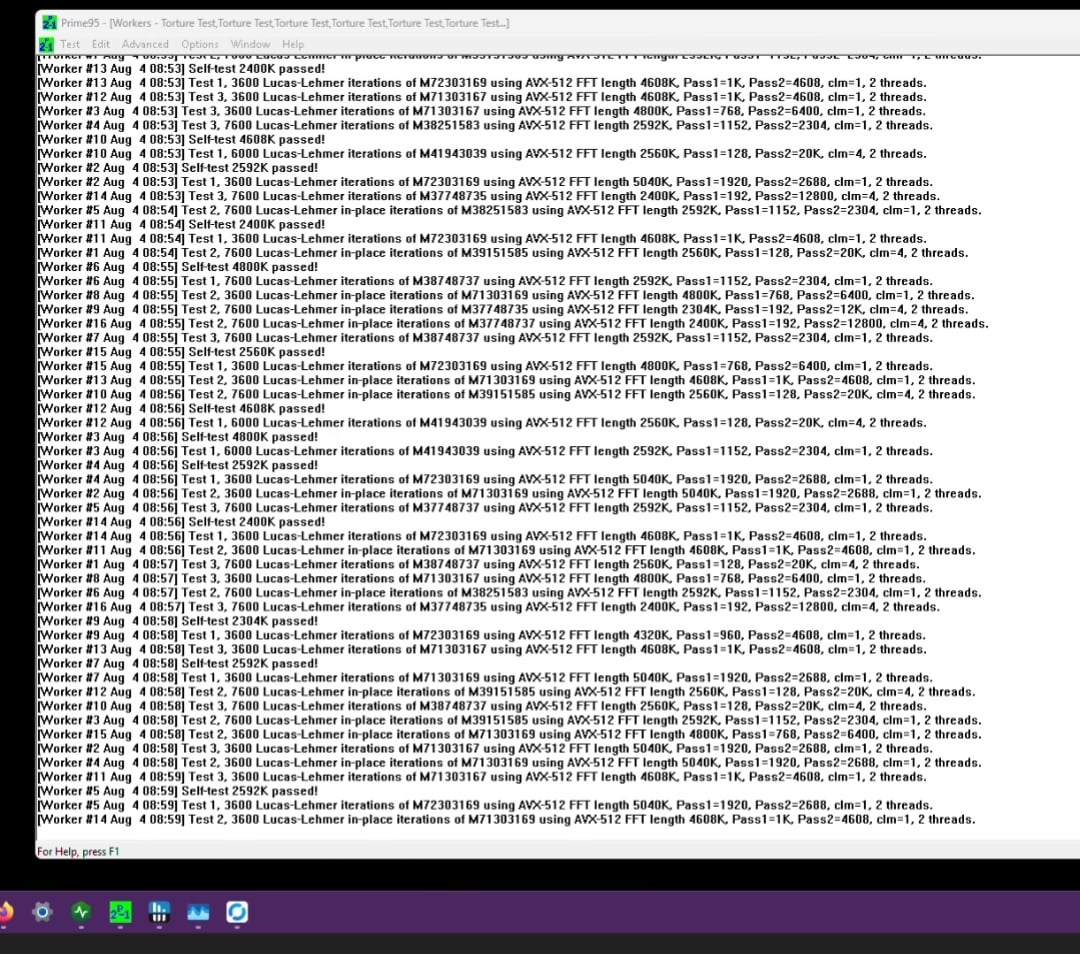
I ran continuous Prime95 Blend for 24+ hours:
0 crashes, 0 WHEA errors.
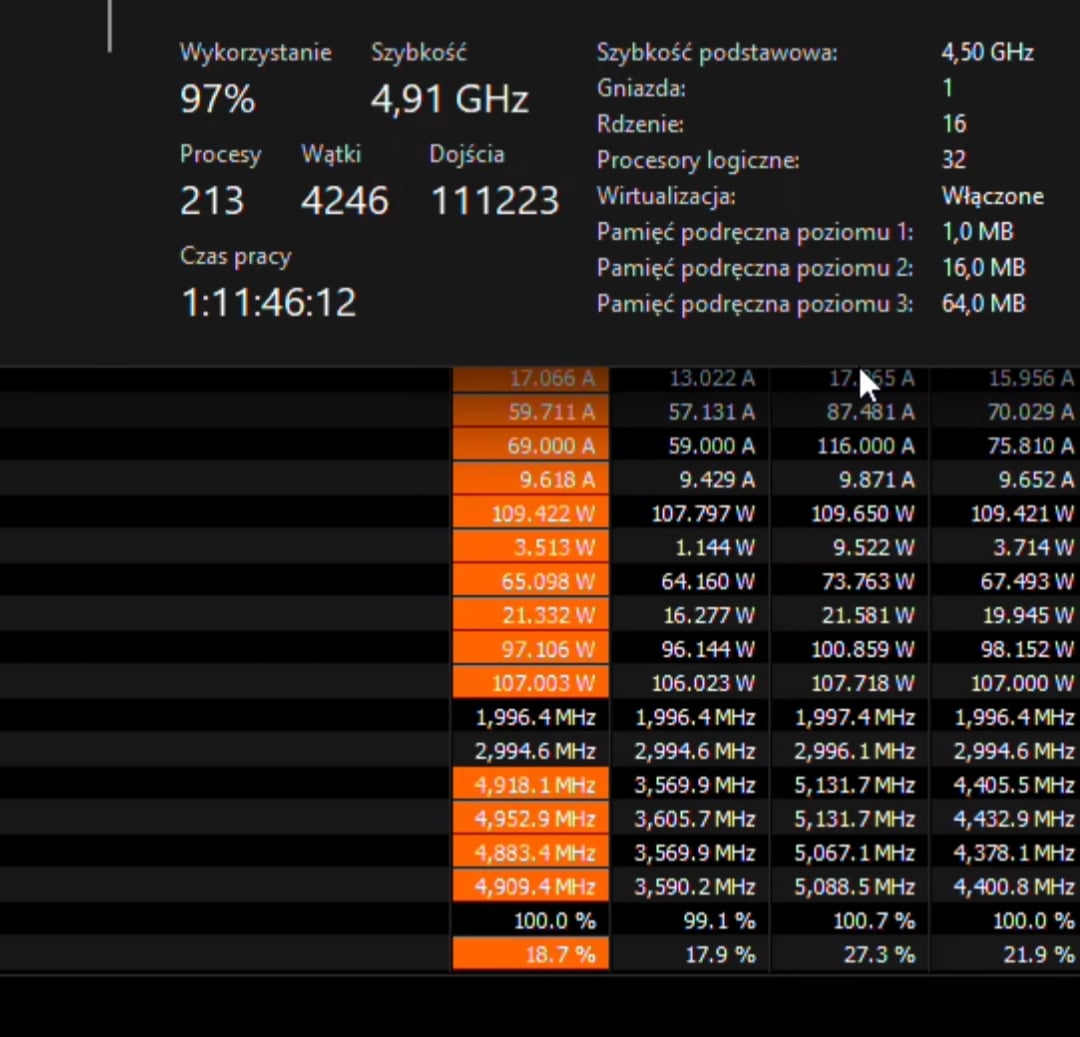
Tested with PBO Scalar 10X, Boost override +200 MHz, and VSOC at ~1.25V. No UnderVolt.
CPU handles heavy compute and memory stress tests flawlessly.
Because the CPU is an absolute tank under Prime95, this doesn't look like core silicon degradation.
Has anyone had something like this before?
I posted this also on gigabyte subreddit.
The bioses I tested was: F5, F35, F41 and F42c – the newest one.