
I'm currently manually overclocking my 9950X3D, and I have a really strange BIOS issue.
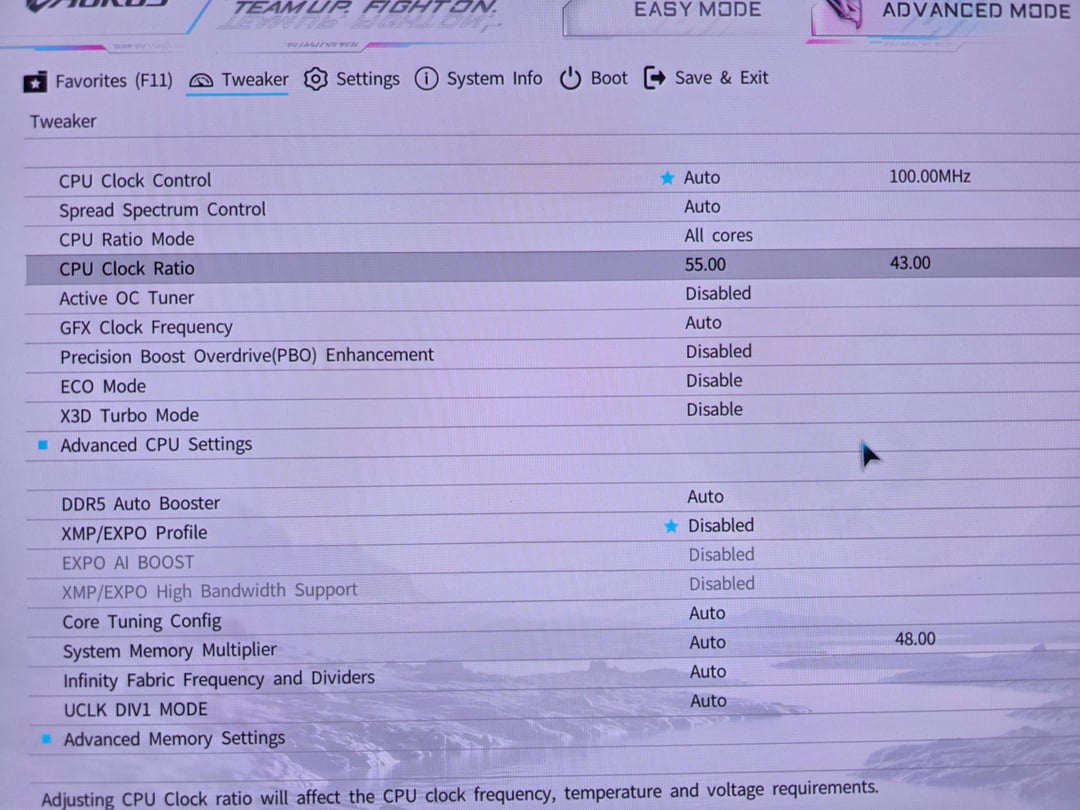
In the first picture, when CPU Ratio Mode = All Core, I can manually enter the CPU clock ratio without any problem.
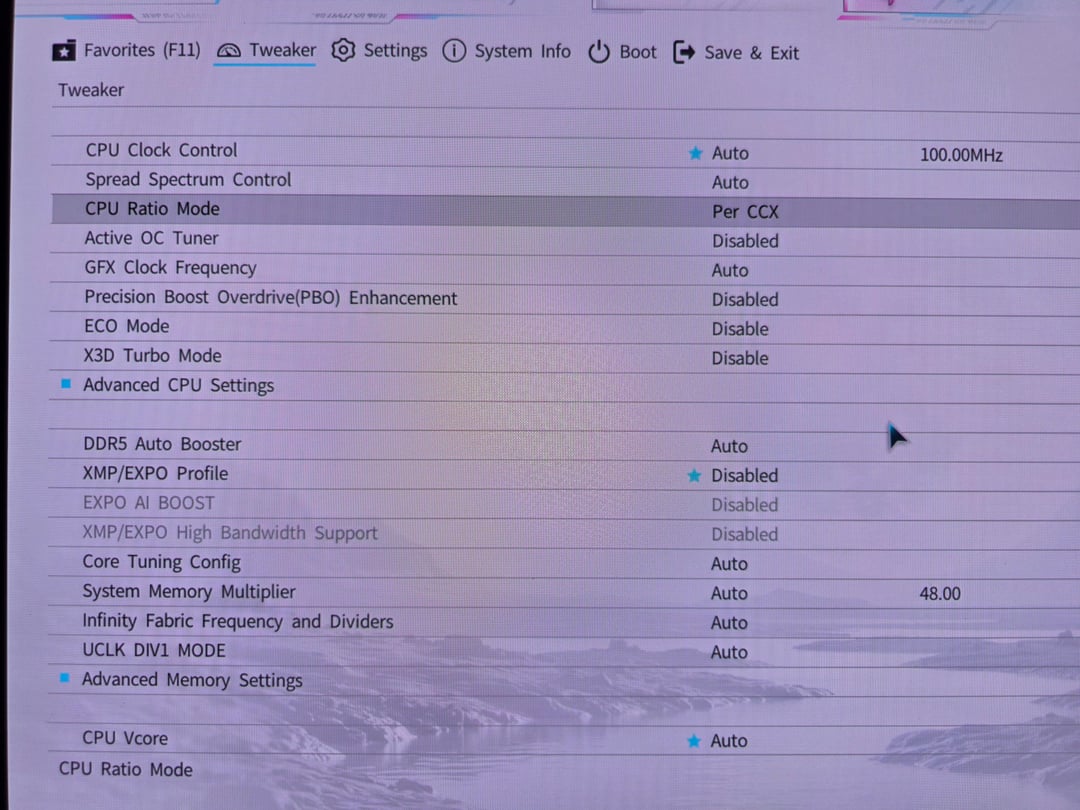
However, as soon as I switch CPU Ratio Mode = Per CCX (second picture), the CPU Clock Ratio option disappears completely.
Previously, when I selected Per CCX, the BIOS would automatically show separate options for:
CCD0 Ratio :
CCD1 Ratio :
so I could set different multipliers for each CCD.
Now those options are completely gone.
Here's what I've already tried:
- Updated the BIOS to the latest version.
It didn't fix the issue, so I flashed back to my previous BIOS version. Still exactly the same problem.
-
This actually happened on older BIOS versions too. I have several BIOS profiles saved in Favorites for overclocking. Oddly enough, depending on which saved profile I loaded, the Per CCX (CCD0/CCD1 Ratio) options would sometimes appear and sometimes disappear, even on the same BIOS version.
-
I've cleared CMOS countless times.
No difference.
I have no idea what's causing this anymore.
Has anyone experienced this before or knows what BIOS setting controls whether the CCD0/CCD1 Ratio options appear?
I'm really stuck and would greatly appreciate any help. 🙏
BTW my mainboard is : GIGABYTE AUROS PRO ICE REV 1.0