
What you might see with tuning:
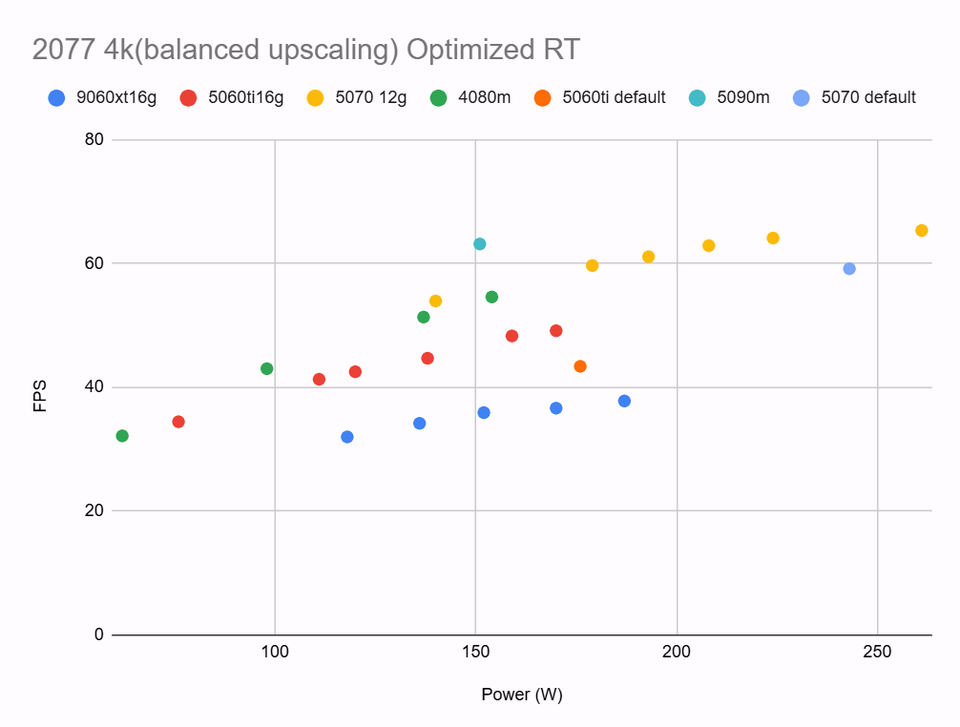
OC with undervolting: around a 10% performance boost at the same power vs stock
UV: around a 25% power reduction vs stock at the same performance
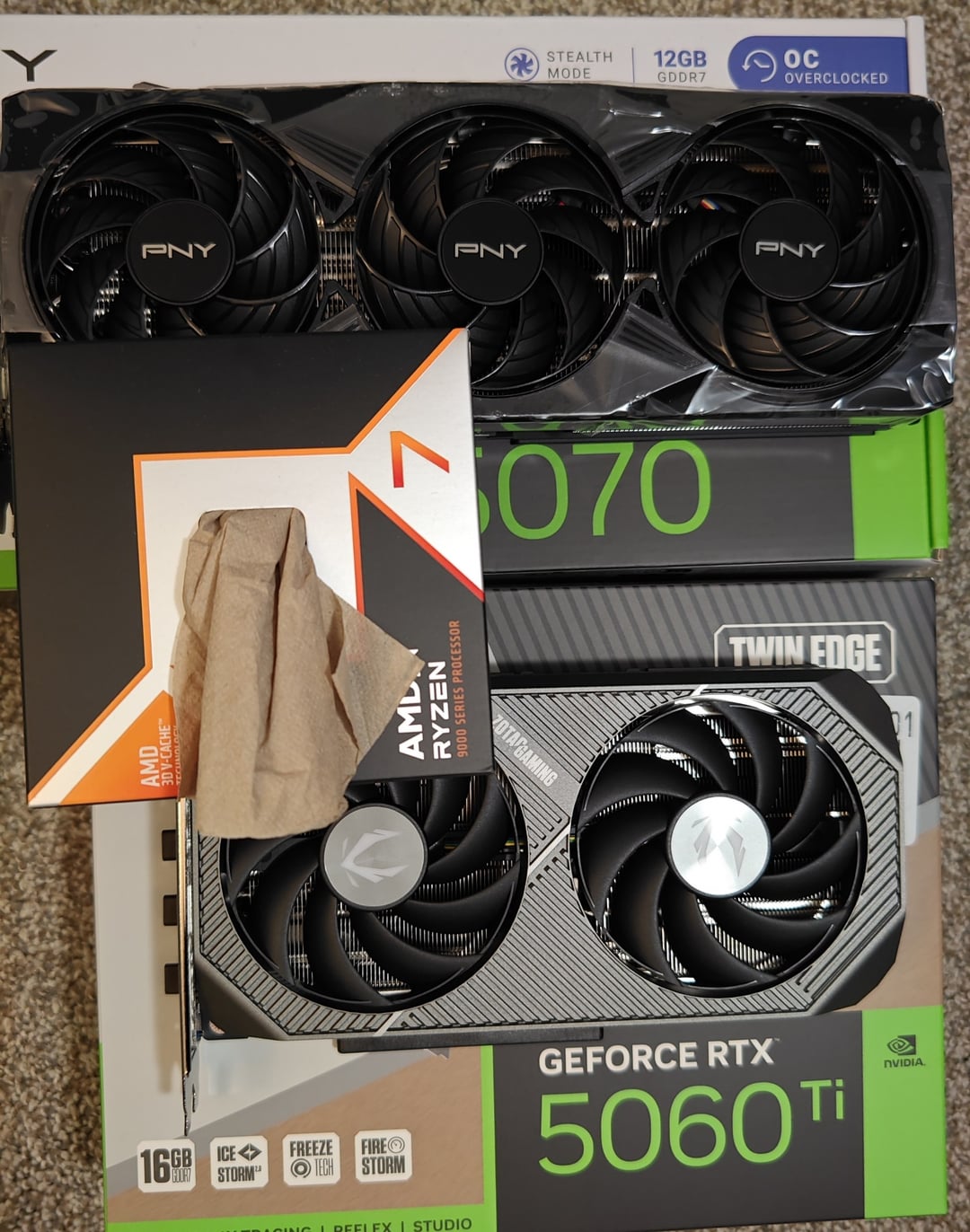
GPUs: Zotac 5060Ti **16GB** Twin Edge, PNY 5070 OC are tested with before & after data. Every other GPU datapoint is undervolted only.
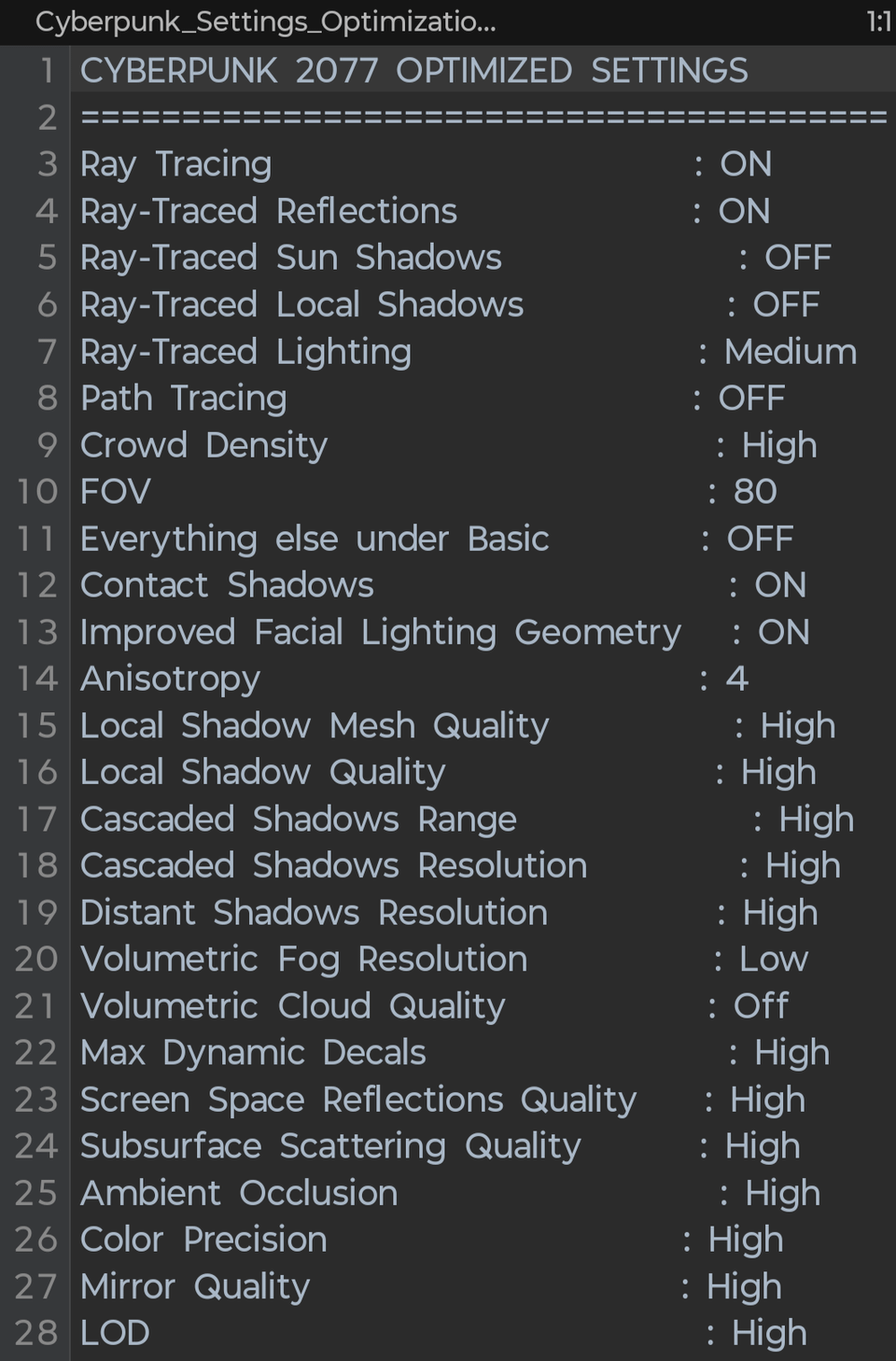
Test system specs: 9800x3d, 48GB*2 Samsung DDR5 at 5800c36, Asus TUF B850m-e wifi (providing full 5.0 x8 or x16 to the two 50 series cards). Dell 4k120 display, vsync G-Sync turned off, frame rate uncapped. Benchmark settings in Cyberpunk 2077 (ver 2.31) attached in 3rd pic, no frame gen enabled.
5070:
Iso performance vs stock: 73.7% the power
Iso power vs stock: ~109.5% the performance
5060ti:
Iso performance vs stock: 72.2% the power
Iso power vs stock: ~114% the performance
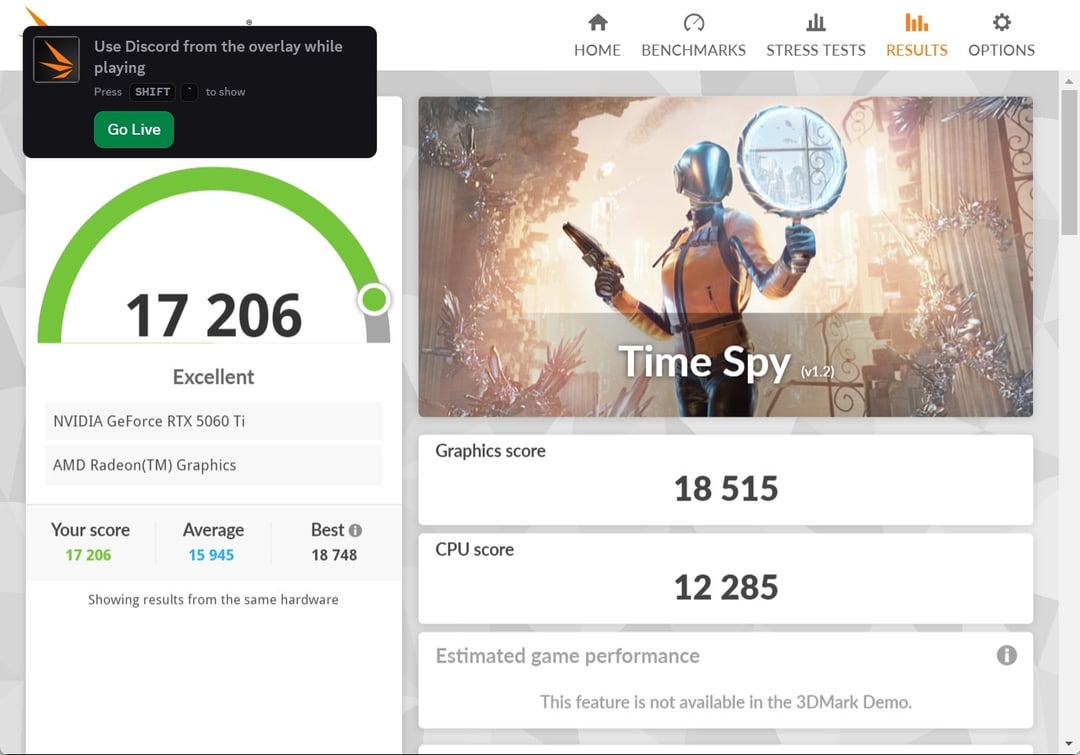
Room temperature OC: 5070 got to almost 25000pts in Time Spy Graphics (mid to low silicon quality), 5060ti got to 18500pts consistently (good silicon quality). Uplifts you might see on your cards with undervolting could be somewhere in between.
Limitations of this testing: voltage floor on the 5060ti under load is 0.72V, 5070 sees 0.83V, so I can't test for extreme low power behaviors on these GPUs aside from the points in the graph. Both runs at their max of 1.04V in stock configuration within power limit.
How-to (in my experience):
Iso performance vs stock: target 0.82~0.85V on the core, **+1000MHz** on the memory (lowers access latency even in non-bandwidth-bound scenarios), and push the core frequency as high as it will go. A good starting point is 2560MHz
Slightly reduced power consumption vs stock: target 0.92~0.95V, Blackwell tends to basically stop scaling with voltages beyond 0.95V as seen with my two cards. +2000 to +3000 on the VRAM, and get the core clock as high as it would go. A good starting point is 3000MHz
Somewhere in between: target 0.88V on the core, +1500~2000MHz on memory, and push the core as high as it will go at given voltages. A good starting point is 2700MHz. It should get you a slight performance boost while reducing power consumption by ~15%.
The efficiency gain can feed into reduced GPU/case fan RPM or improved gaming performance.
What I also observed during this is that all my tested 50 series desktop cards overclocks great by maxing the power limit to 110% or 111%, most of the time it doesn't even need more than 100% power limit, and stock is really inefficient. For real world use, I see very little need to shunt mod a consumer desktop card, now that they're pushed as hard as the CPUs have been straight out of the box.