
PC Guide is reader-supported. When you buy through links on our site, we may earn an affiliate commission. Read More
When it comes to picking the best gaming monitor for esports, a low resolution and high refresh rate is definitely the combination to go for. With fewer pixels to render, low resolution monitors allow your GPU to hit much higher frame rates, giving you a competitive edge in the heat of battle.
That’s where something like the Cryo Vision 27 inch 540Hz Gaming Monitor comes into play. With a 1080p resolution, it cranks up the refresh rate to an eye-catching 540Hz. At 27 inches in size, that makes this makes it one of the quickest displays on the market right now, perfect for highly-competitive games like CS2. With an IPS panel – providing punchy colors – and a full USB hub for connectivity, it’ll be interesting to see how this display stacks up against the competition.

Specifications
Panel type: IPS
Resolution: 1920 x 1080
Refresh rate: 540 Hz
Response time: 1 ms
Panel size: 27″
I/O ports: 1x USB-C, 2x USB-A, 1x USB-B, 1x HDMI 2.1, 1x DP 1.4
What We Think
Equipped with a speedy refresh rate, the number one thing this monitor has to offer is a 540Hz screen. It works exceptionally for Esports gaming, especially with adaptive sync. Even adding a USB hub to make connectivity simpler and quicker, it does just drop back on the quality and materials used. But for that, you do get a very competitively priced display.
Reasons to Buy
Very fast 540Hz refresh rate
USB hub included
Decent sRGB gamut coverage
Offers adaptive sync compatibility
Gets to a decent brightness
Great adjustability from the default stand
Fairly inexpensive
Reasons to Avoid
Wobbly and squeaky stand
Not the best color accuracy out of the box, or AdobeRGB and DCI-P3 coverage
Lower-quality materials and packaging
Pricing & availability
As a Chillblast product, the Cryo Vision 27 inch FHD 540Hz gaming monitor is more limited in availability. The UK-based company ships only within the UK. So besides being available on its own website, you can find the Cryo Vision monitor at CCL and Amazon for £449.99 (~$603 with 20% VAT, or ~$483 without).
Best Early Spring Sale Deals
Amazon has started slashing prices on some of the industry’s best tech products, ahead of its upcoming Spring Sale. Below are all the best deals today.
Prices and availability are subject to change at any time. Discounts were accurate at the time of publishing but may vary or expire without notice.
Comparatively, the AOC AG246FK6, at a similar size but with a faster panel of 610Hz, costs £599.99. While the BenQ ZOWIE XL2566X+ 400Hz monitor comes in at $468.50, the ASUS ROG Strix XG248QSG can be found for $778.99. So the monitor is a fairly well-priced option when it comes to fast refresh rate models.
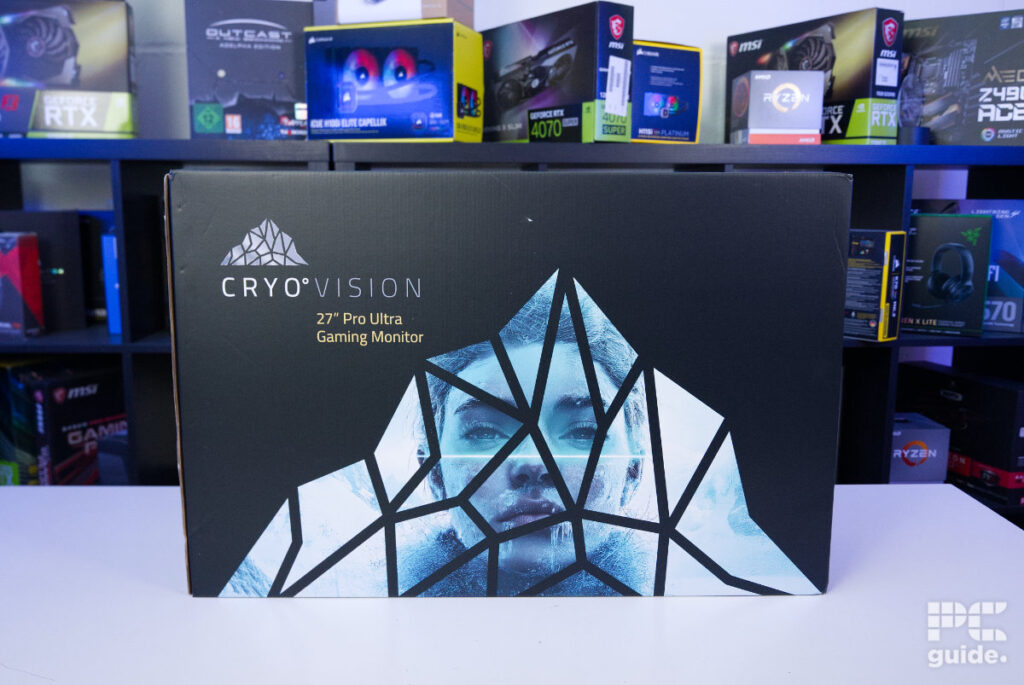 Chillblast CryoVision MON9689 box, Image by PC Guide
Design & specifications
Unpacking the monitor is fairly swift and setting up is straightforward. With thick foam padding, the display nestles inside the box for maximum protection. All the accessories can be found inside the styrofoam padding, as per usual. Accessories include video cables, the power adapter, and the stand. They are all rather standard options, as the power cable comes with a separate brick rather than being embedded in the monitor, and it uses a barrel connector.
The stand utilizes an easy-to-use, toolless connection with a larger square base that offers decent stability. Alongside this, users can expect the usual level of rotation, tilt, and pivot found in most modern displays.
Previous
Next
As far as video inputs go, the display comes with an unusual selection of ports. While it only has 1 x DisplayPort 1.4 and HDMI 2.1 input, it packs in an entire USB hub – made up of a USB-C, 2 x USB-A, and a USB-B port. All this allows you to use the monitor as a full USB hub, plugging various peripherals into the monitor for easier plug-and-play.
The bottom of the monitor is where the various OSD controls can be found. These are split into five separate buttons instead of the usual joystick control. With some light notation on the front, it can be a bit hard to figure out what each one does, but after a while, it can be easy to navigate the OSD through the rather tactile buttons.
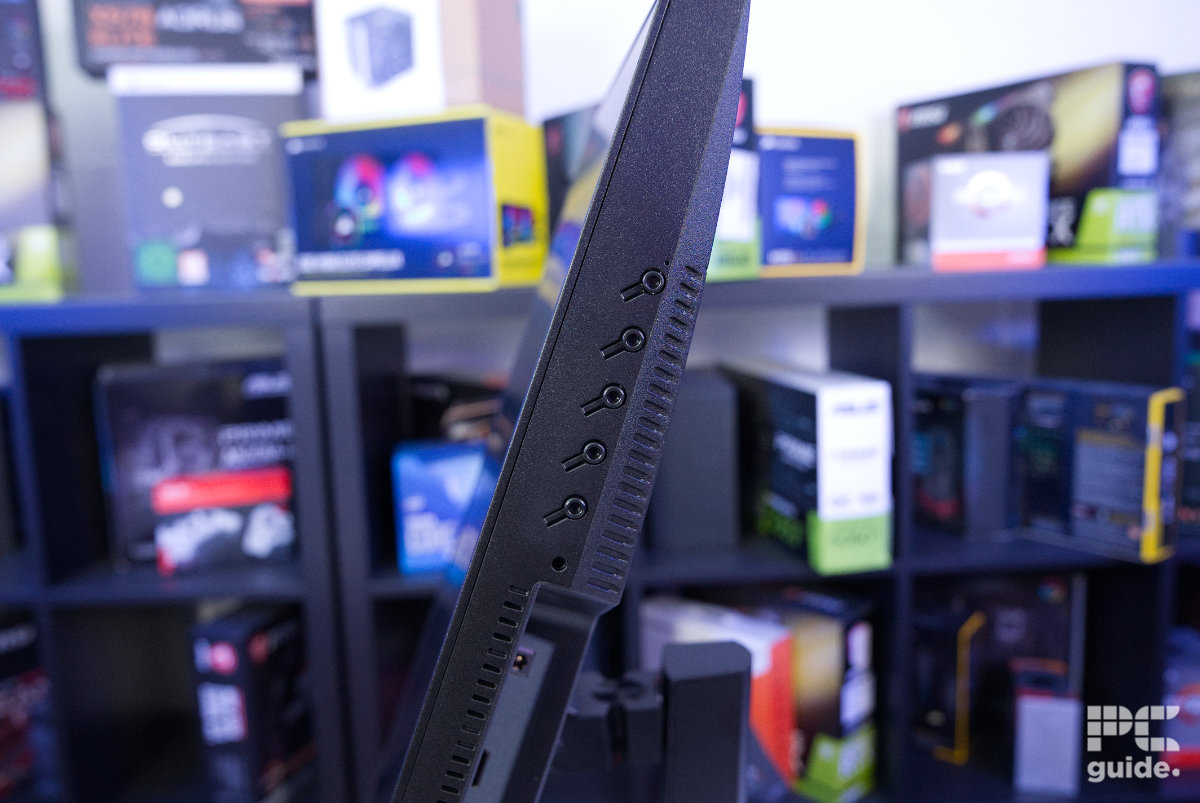
Cryo Vision 27-inch FHD 540 Hz Gaming buttons, Image by PC Guide
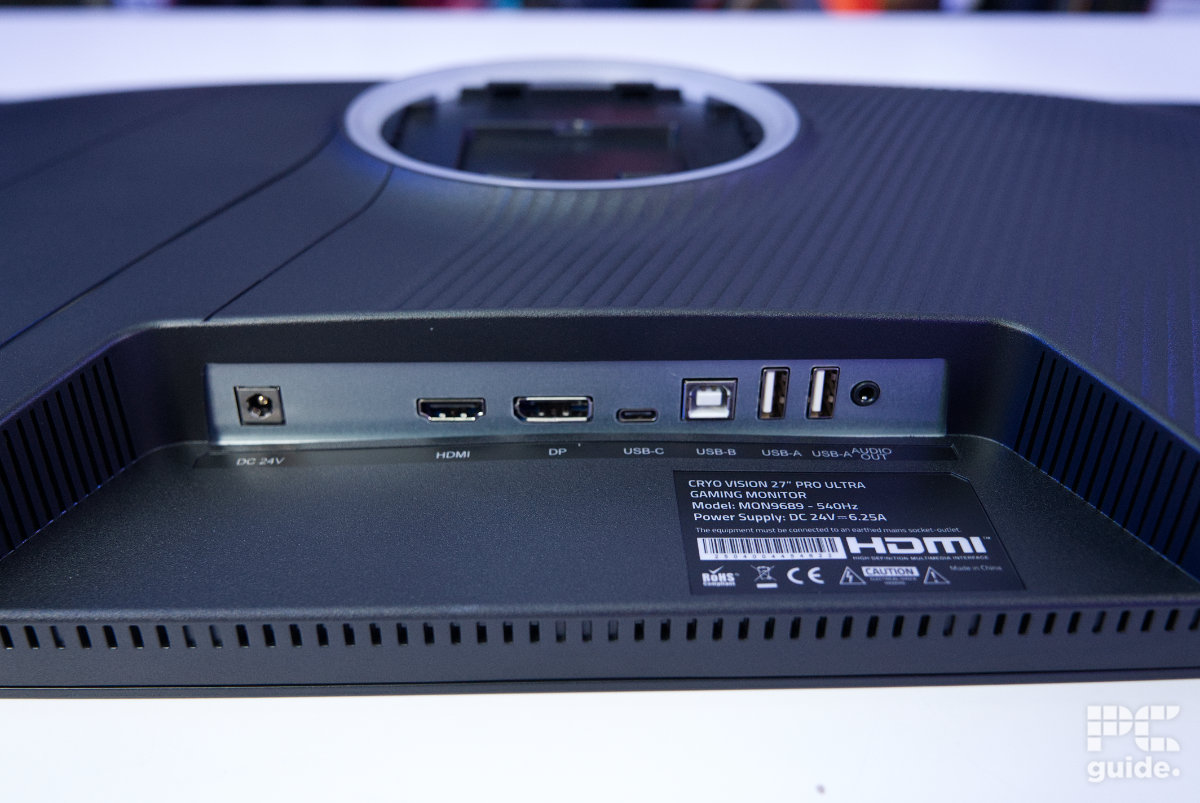
Cryo Vision 27-inch FHD 540 Hz Gaming connectors, Image by PC Guide
Previous
Next
Otherwise, the design is rather discreet – despite featuring a shiny piece of plastic on the rear for some added “glam”. Other design features include a couple of vents, some stripes across the back of the monitor, and some vents for cooling.
Previous
Next
OSD, features, settings & warranty
The on-screen display on the monitor is fairly simple yet quite effective. All the usual suspects can be found in the OSD, including brightness/contrast, picture settings (various color profiles), color settings, OSD settings, and more.
Previous
Next
The monitor also comes with adaptive sync that is compatible with both Nvidia G-Sync and AMD FreeSync. To enable this, you’ll have to find the setting within the monitor’s OSD, which can take some digging.
Its stand also provides a load of adjustability for the monitor, too. With a wide range of adjustment, it did let me control quite precisely how it sat. Plus, there is a tiny bit of cable management; a little holder at the bottom of the back holds the cables in place when leading away from the stand and has some tidiness to it.
Previous
Next
Screen testing & performance
After setting the monitor up, I then put it through our testing lab. Checking out the range of color levels the monitor has to offer, the accuracy of it, and the uniformity of the panel. So here’s how it fared in those tests.
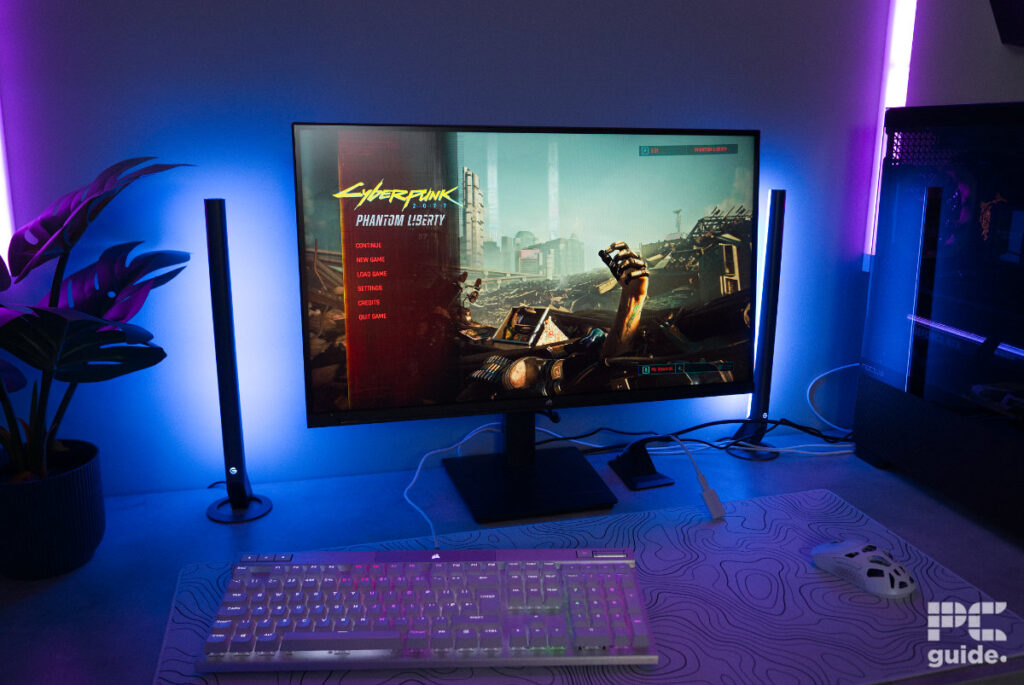 Cryo Vision 27 Inch FHD 540Hz Gaming Monitor: On desk (1), Image by PC Guide
Color gamut
Previous
Next
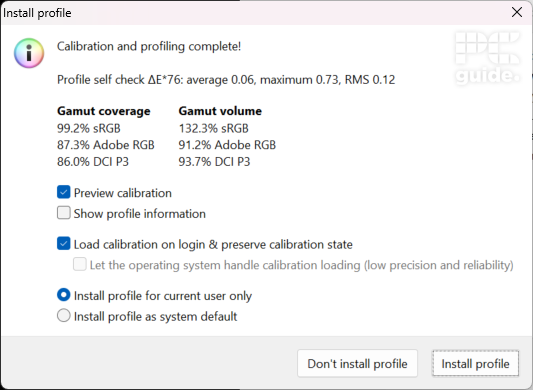 Chillblast CryoVision MON9689 gamut coverage calibrated, Image by PC Guide
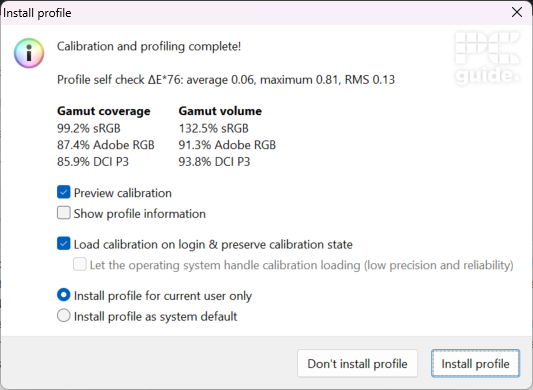 Chillblast CryoVision MON9689 gamut coverage, Image by PC Guide
First up is the color gamut and the depth of color the monitor is capable of producing. With claims of 100% sRGB coverage, the Cryo Vision does, in fact, reach 99.2% of the spectrum in our tests. So, for basic color work in that spectrum or just getting color-accurate work, it does get the job done.
The Adobe RGB and DCI-P3 spectrums, on the other hand, aren’t so good. Both at 87% and 86%, even after calibrating the display, I wasn’t able to get that coverage any better. So, while not the worst we’ve ever seen, we still wouldn’t recommend this for color-accurate work in this specific gamuts.
Color accuracy, contrast, & brightness
whiteblackcontrastaverage deltaE*00max deltaE*00gammaBrightnessIDEAL6500K0 cd/m²infinity:1002.2120 cd/m²Standard warm6242K0.0809 cd/m²1473.8:12.578.122.13119.3 cd/m²Standard natural7164K0.0879 cd/m²1370.4:12.377.312.14120.5 cd/m²Standard cool8462K0.1015 cd/m²1191.3:12.256.572.15120.9 cd/m²Movie6508K0.2651 cd/m²1469.4:12.817.752.08389.6 cd/m²Standard user6535K0.0811 cd/m²1482.7:12.467.822.13120.3 cd/m²Calibrated6541K0.0811 cd/m²1463.1:10.52.972.2118.6 cd/m²
Similarly, I tested a few of the presets for their accuracy, contrast, brightness, and various other levels; the results of which you can find above. There are just a few presets, but only in standard can you actually alter some of the brightness and color presets (fairly standard).
Instead, you can also change the color temperatures, with options for warm, natural, cool, and user, with the latter used to adjust the specific RGB levels yourself. That does offer a range of accuracy, with the white levels ranging above and below the optimal 6500K level. In comparison, the black levels sit around 0.08 cd/m², though cool and movie modes go much higher than that.
Since it is backlit, the contrast can’t replicate the same infinite levels found in OLED monitors – instead, ranging from 1000:1 to 1500:1. Similarly, the deltaE of the colors is rather high; all of the presets are above 2 on average, higher than the desirable average for color accuracy (which is around 2).
That said, users can increase the color accuracy of the monitor through calibration. Even though the color gamut might not change, the accuracy certainly does. By setting the red level to 50, green to 49, and blue to 55, and with a color profile calibration, it does get to a good point – with more acceptable levels.
As far as peak brightness goes, the monitor manages to reach the 400 nit (recorded 390 on testing) claimed by the brand.
Panel uniformity
One of the last tests was checking the panel uniformity of the monitor. Checking the brightness and color variance across the whole thing.
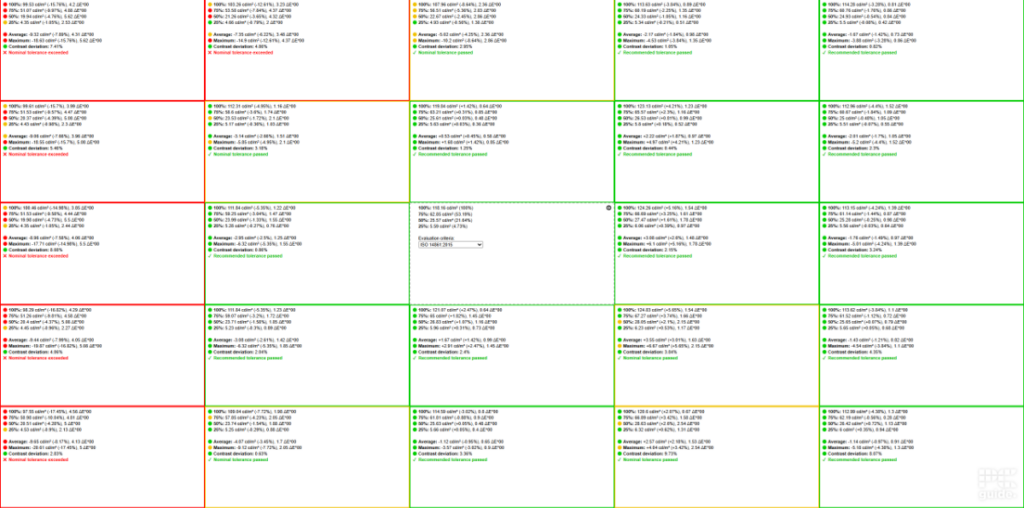 Chillblast CryoVision MON9689 uniformity, Image by PC Guide
For the most part, the model we got performed well. Throughout the majority of the test, the Cryo Vision managed to stay within nominal tolerance. Then you get to the left-hand side, and that is far beyond nominal tolerance (see red segments in image above). In this section, both the average (and max) brightness levels were higher than the reference segments. Additionally, the color accuracy was also off in this space too.
Viewing angles
Turning the monitor to the side, the viewing angles do fall off quickly. After about 45° off center, the monitor gets significantly darker. It’s not exactly made for being viewed from an angle, but direct on it is perfectly fine, and does get to a decent brightness too.
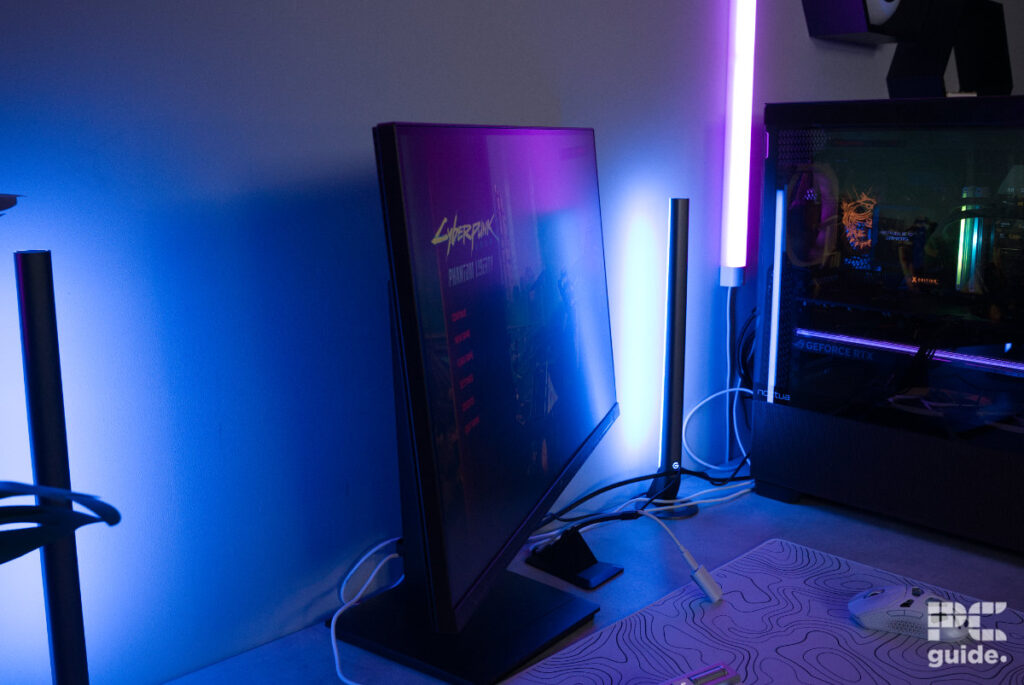 Chillblast CryoVision MON9689 view angle, Image by PC Guide
Gaming performance
After going through the rigorous testing and calibration of the monitor, I then took it for a spin in general usage. Firstly, with the gaming experience and how the monitor feels.
Previous
Next
At first, cranking up the refresh rate on Windows, it quickly became so much snappier and quicker on screen, right from the mouse. I was first concerned with the mouse getting a lot of ghosting due to this, and seeing about 10 mouse pointers on the desktop didn’t fill me with confidence.
But then, enabling adaptive sync on the display and booting up a game, my worries melted away. Firstly, giving CS2 a go, the high refresh rate really made for a smooth experience in the game. Being able to track the bots in deathmatch made it all the easier to snap to them quickly with the AWP.
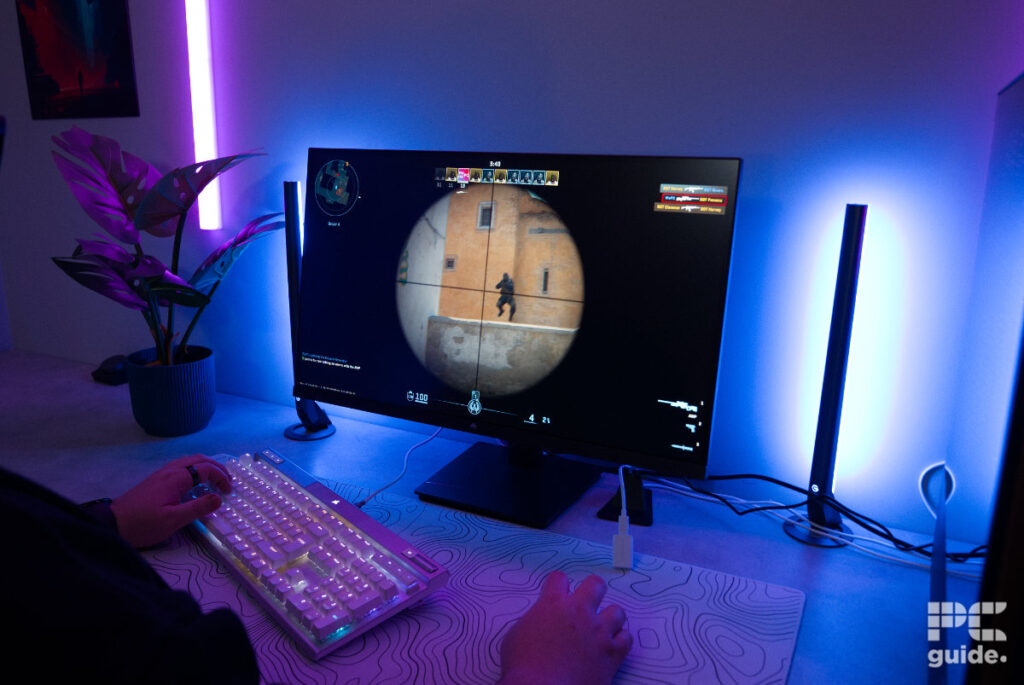 Chillblast CryoVision MON9689 CS2 (7), Image by PC Guide
In that case, I didn’t perceive any ghosting, or it wasn’t noticeable in any case. But the fast refresh rate made for some rather quick gameplay, and a general feeling of control when playing FPS games.
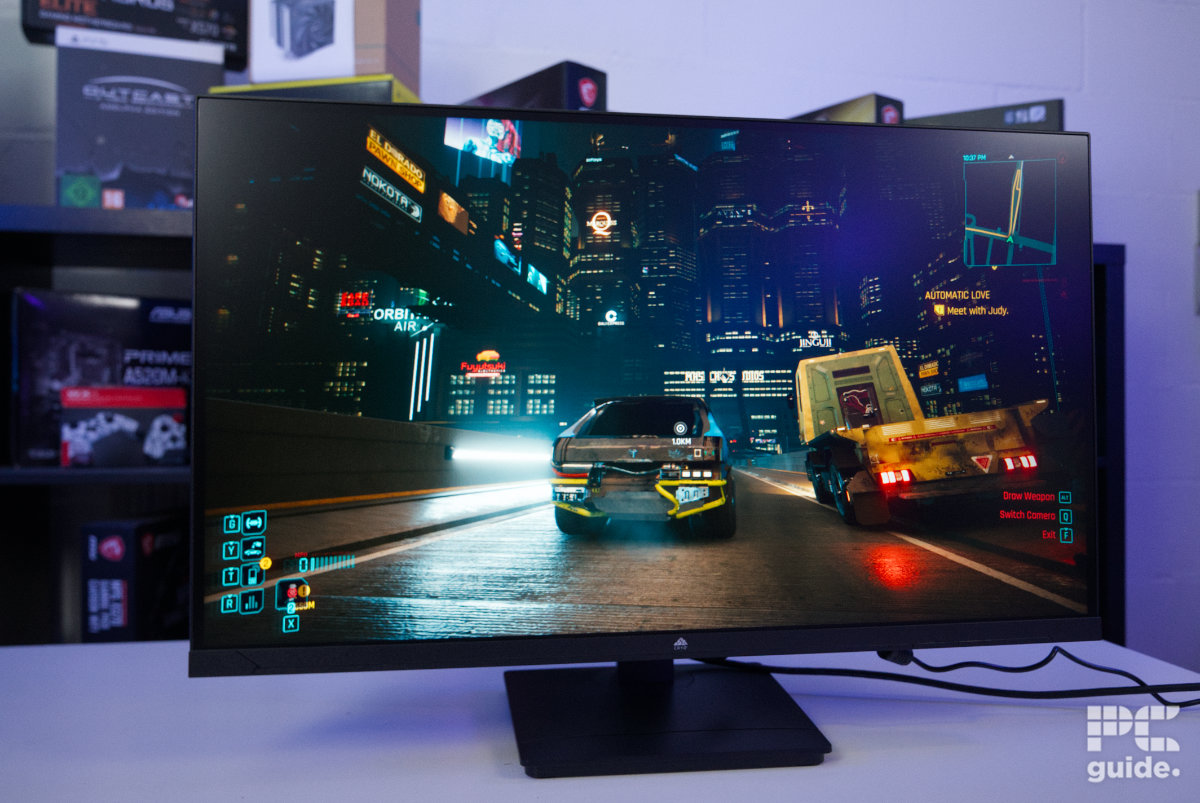
After this, I tried something a bit slower, less dependent on the monitor’s refresh rate. I booted up Cyberpunk 2077. With high settings and ray tracing enabled, the monitor does look good. Even without eye-straining brightness, there is a decent level of contrast, and colors do stand out. Although its black levels don’t quite reach perfection, they are still at a decent level for the monitor.
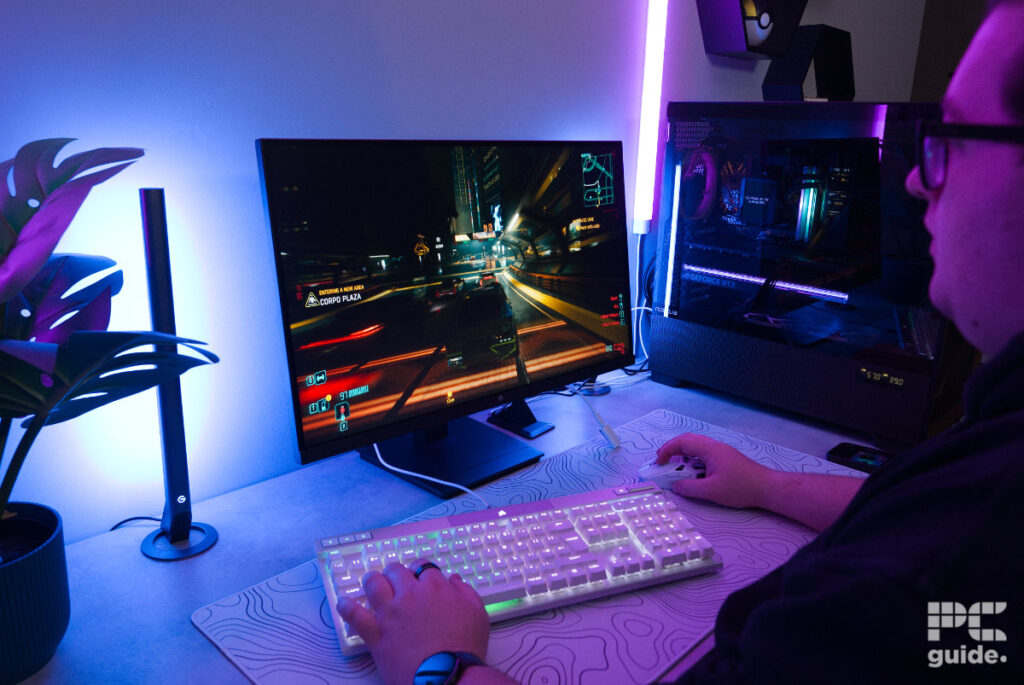 Chillblast CryoVision MON9689 Cyberpunk 2077 (2), Image by PC Guide
General performance & productivity
In general use, one of the first things I found when assembling the monitor was that it was very wobbly. Mounting it on the stand and then just adjusting it down, it did surprisingly move a lot. In the case you do have it set up on a rather wobbly table, you could find it gets annoying after a while if you have rather big movements on your table.
Being a 27-inch screen, it doesn’t have a great deal of screen space to utilize. It’s definitely a smallish size for being your primary monitor, so you’l probably want a secondary display if you’re planning to do any work or productivity-related tasks. Plus, since it’s just a 1080p monitor, it might be enough for some, but these days, with more powerful machines, you can get a lot more from upgrading to 1440p and above.
Also, with the fact that the color gamut is only effective in sRGB, it’s okay for color grading in that spectrum, but it doesn’t offer the accuracy for Adobe RGB or DCI-P3 spectrums. Plus, it does need calibration to even get to the right level and accuracy, so it takes some work, but it’s not designed for the job either.
Specifications
Panel type: IPS
Resolution: 1920 x 1080
Refresh rate: 540 Hz
Response time: 1 ms
Panel size: 27″
I/O ports: 1x USB-C, 2x USB-A, 1x USB-B, 1x HDMI 2.1, 1x DP 1.4
Overall, the Cryo Vision 27 Inch FHD 540Hz Gaming Monitor is an effective, fast Esports monitor. With a 540Hz refresh rate and adaptive sync, it makes for an excellent gaming experience. The IPS panel provides a decent sRGB spectrum but doesn’t have the best accuracy and uniformity, so it needs help getting to more acceptable levels.
All said, it still comes in at a relatively low price for the fast specs it brings with it, even providing a USB hub on board. Apart from the slightly flimsy build and basic packaging, it is an effective monitor to provide a great competitive advantage.