
Rich steps in for Alex in our latest PC video review – and Crimson Desert is certainly a fascinating PC release.
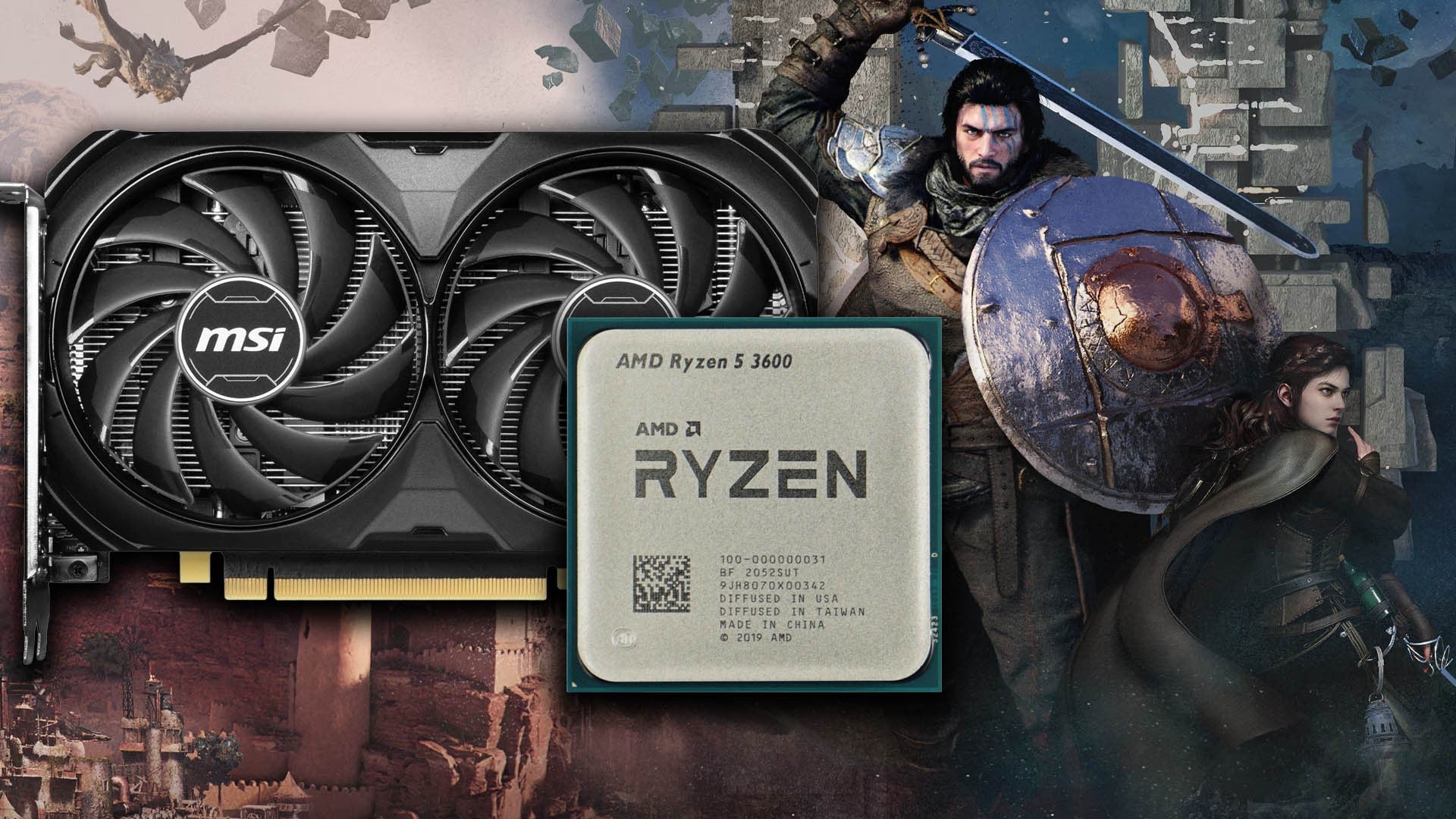
The good news is that based on our time with the console version of Crimson Desert, the PC build delivers exactly the kind of experience I was expecting. Yes, it can be demanding, but a mainstream Zen 2 processor like the Ryzen 5 3600 paired with a modest GPU like the Nvidia GeForce RTX 4060 can deliver reasonable results at 1440p using DLSS 4.0 balanced mode. The key to good performance ultimately comes down to just one setting: lighting quality. Keep away from max and cinematic settings, dial in ultra, and you’ll see an extraordinary boost to frame-rate.
From there, it’s all about the fine tuning, which is where we add the final flourishes via Digital Foundry optimised settings. Thanks here to contributor Rayan who put in the hours testing every single graphics setting in the game, understanding what they actually do and then figuring out which offers the best balance between fidelity and performance. And to offer an alternative viewpoint, we have Pearl Abyss’ own settings selection. Well, for the purposes of this piece, we’re using the PS5’s balanced mode, but we’ve already published PC equivalent settings for all of the graphics options available on the base and enhanced Sony consoles.
Practically speaking, for a game using ray tracing across the board, the overall experience with optimised settings is fine, thanks to a shader compilation burn on boot that caches the required PSOs. Even on the mainstream Ryzen 5 3600 CPU from 2019, frame-times are relatively smooth, with only one noticeable stutter spotted in the first hour of play. This game is predominantly GPU limited, and overall performance on this kit hangs mostly in a 50-60fps window, with a couple of exceptions.
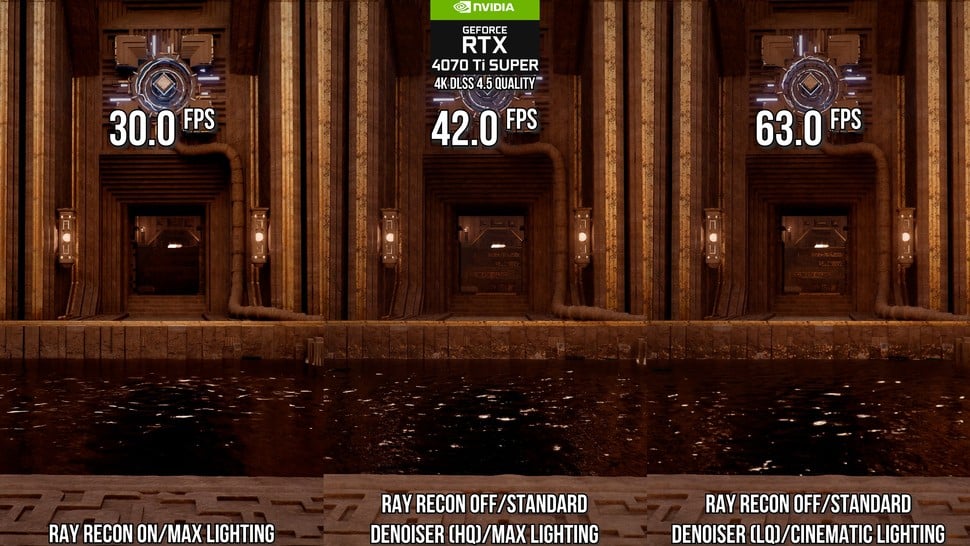 On the left, lighting quality fully maxed with ray reconstruction on, then to the right, ray reconstruction off and then to the far right, dropping down to cinematic quality lighting. The perf boost at each stage is vast – and there are further savings beyond that by choosing ultra quality, our optimised settings choice.
The scripted fight scenes at the beginning of the game can be heavy on the GPU, reaching a nadir in the 40s, but generally frame-rates are higher and genuine drops under 60fps are rare in the first hour. However, you definitely need a reasonable level of CPU power to maintain the 60fps threshold, especially in crowded scenarios like the pitched battle on Bug Hill. In these heavy areas, the 50-60fps window drops back to maybe the late 30s upwards, and enraging city guards in Demeniss also hits the CPU hard – perhaps more so than Bug Hill. Put simply, the more entities in active play, the more CPU power you need.
Interestingly, frame generation is an option, putting the RTX 4060 into a mid-70s to 90fps window, even on Bug Hill. Without frame-gen, PC latency metrics sit in the mid-40s, which is actually fine, but Frame Generation incurs around 15ms to 20ms of extra latency. Overall, I’ve certainly dealt with worse on this PC, suggesting very graceful scaling with a more modern CPU and something with a bit more power than the relatively modest RTX 4060.
Before diving into optimised settings, a quick word on the graphics menu: it’s not bad, offering the right amount of configurable settings without needing a game restart. However, it frustratingly lacks on-screen indications of what the settings actually do, and the preview image offers no way to compare changes, which is a definite annoyance. VRAM limitations? Actually, Crimson Desert is fine on an 8GB GPU – just keep away from the cinematic texture quality option and limit yourself to high, which basically looks the same. If your GPU has more than 8GB, you’re weapons-free to use the higher options – not that you’ll notice much difference.
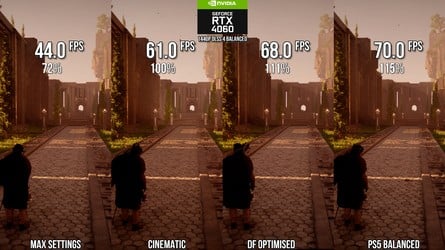
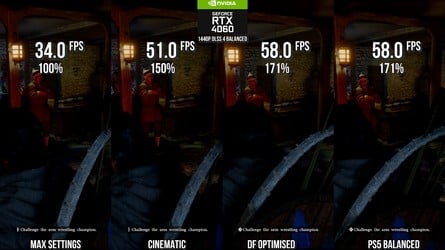 A couple of scenes showing how Crimson Desert scales from absolutely, fulled maxed, down to “almost maxed” cinematic mode, with comparisons to DF optimised settings and Pearl Abyss’ choices for the PS5’s balanced mode. Click on the images for full resolution.
In terms of optimised settings, the video up top shows you what every graphics option actually does, but curiously, ray tracing on/off does very little, offering only a tiny 1-2fps boost on our RTX 4070 Ti test system. Crimson Desert extensively uses radiance caches, screen-space techniques, and SDF fallbacks, with RT adding extra detail using a small number of rays per pixel. Disabling RT doesn’t change the core lighting, but shifts more of the workload onto the fallbacks, meaning RT is best left enabled as it improves light bounce, shadowing, and reflections more obviously.
In stark contrast to RT, the Lighting Quality setting is easily the biggest impact on GPU resources, especially at the Max setting. Max is required to use ML-based ray reconstruction and ray regeneration denoisers, which absolutely hammers performance, impacting it by up to 30 percent. By dropping down a quality preset from max and avoiding ray reconstruction, you effectively double performance, illustrating how stark the difference is. We chose ultra though, which gains eight percent of performance vs cinematic and looks much the same.
We also recommend dropping volumetric fog quality down from cinematic to the low preset, while model quality offers us a nice performance boost moving from cinematic down to ultra, making that the sweet spot. Beyond that, there are very few tangible performance improvements to be had – a few percentage points here and there, but sometimes you’ll find that quality reductions don’t actually seem to deliver that much more performance.
Digital Foundry
Optimised Settings
PlayStation 5
Balanced Mode
Model Quality
Ultra
Medium
Texture Quality
High (8GB GPUs)
Ultra/Cinematic (8GB+ GPUs)
High
Shadow Quality
High
hIGH
Ray Tracing
On
On
Lighting Quality
Ultra
Medium
Reflection Quality
Ultra
High
Advanced Weather Effect
Off
Off
Water Quality
High
Medium
Foliage Density
hIGH
Medium
Volumetric Fog Quality
Low
Medium
Effect Quality
Cinematic
High
Simulation Quality
Cinematic
High
Post-Processing Effect Quality
High
Medium
With optimised settings complete, I tested out the Ryzen 5 3600/RTX 4060 PC at 1440p with DLSS 4.0 balanced mode across four different configurations: max (without ray reconstruction tech), cinematic, DF optimised and the equivalents to PS5 balanced mode.
In one scene, I gained a 39 percent performance increase just by using cinematic mode instead of max. DF optimised settings gave us a further 11 percent boost to frame-rate, while PS5 balanced mode equivalents were three percent faster than our own selection – but I’m happy with the choices made in bumping up so many settings to significantly higher presets in most cases, in exchange for a small hit to performance.
Meanwhile, in a more demanding area, there’s a 50 percent increase in performance simply by dropping the lighting quality down from max to cinematic, while DF optimised settings deliver a useful 14 percent boost to frame-rates over cinematic. Curiously, in that scene, the equivalent PS5 balanced mode settings delivered no improvement to performance at all over DF optimised.
In a game like this, I’m sure users will be finding plenty of bugs, but my time with the game was trouble-free. It’s a shame there’s not more scalability in the options, but if the game produces pleasing enough results at 1440p resolution on an RTX 4060 paired with what is now an ancient CPU, I’d say it’s in pretty good shape. Beyond this look at the PC release, we’ll be reporting back soon with more on the console versions of the game – there’s certainly plenty to get through!